
You are using an out of date browser. It may not display this or other websites correctly.
You should upgrade or use an alternative browser.
You should upgrade or use an alternative browser.
Steam Application
- Thread starter satanboy
- Start date

satanboy
New member
Steam app as on the cellphone or as in on the desktop?
You might need to delete the ClientRegistry.blob file and set your download location to a diffrent location.
Desktop.

Crzwaco
New member
Desktop.
okay I take it you can't get into offline mode?
But yeah delete the blob file. and take it from there.
Also you can try a diffrent isp account if you have adsl.
satanboy
New member
okay I take it you can't get into offline mode?
But yeah delete the blob file. and take it from there.
Also you can try a diffrent isp account if you have adsl.
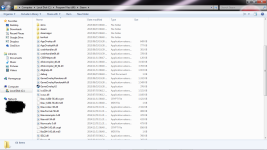
Where do I find this blob file?
I cannot use a different isp, I am on adsl fibre.
Crzwaco
New member
Where do I find this blob file?
I cannot use a different isp, I am on adsl fibre.
In the steam folder where the steam.exe file is located.
satanboy
New member
In the steam folder where the steam.exe file is located.
nope...no such file can be found...


Solitude
Mr. Nice Guy
nope...no such file can be found...
It's called ClientRegistry.blob and should be in your Steam folder. Just make sure that Steam isn't running in your task manager.
*edit*
Was beaten to it.
Solitude
Mr. Nice Guy
Stop die lorrie. I can't connect to Steam tonight either! The website opens fine but my Steam client doesn't want to open.
*edit*
Okay it failed the first time but stayed open in the task manager, hence the reason why it didn't want to start up. After I closed it in the task manager it opened and connected just fine.
*edit*
Okay it failed the first time but stayed open in the task manager, hence the reason why it didn't want to start up. After I closed it in the task manager it opened and connected just fine.
Last edited:
Crzwaco
New member
Stop die lorrie. I can't connect to Steam tonight either! The website opens fine but my Steam client doesn't want to open.
https://steamstat.us/
Atm I am in offline mode so can't test it right now.
Solitude
Mr. Nice Guy
Sorry, I edited my post while you were replying. I'm able to connect now.

Crzwaco
New member
Sorry, I edited my post while you were replying. I'm able to connect now.
Yeah I see.
- - - - - - - - - - Double Post Merged - - - - - - - - - -
must be because of the reinstall.
Try the TCP fix.
Solitude
Mr. Nice Guy
Yea I am online in steam. . . BTW Soli thanks I started playing starbound again last night ... Now I want to play but waiting for my study partner to show up bloody kid is late
It's a pleasure.

Crzwaco
New member
It's a pleasure.
huh?
Solitude
Mr. Nice Guy
Crzwaco
New member
She thanked me so I replied.
Wrong thread perhaps
I was waiting on satanboy reply.
satanboy
New member
* In the Target: field add the launch options which you would like to use after the Steam.exe location (make sure to separate all launch options with a space - For example, "C:\Program Files (x86)\Steam\Steam.exe" -tcp
What does this mean?
must I change:
"C:\Program Files (x86)\Steam\Steam.exe"
to
"C:\Program Files (x86)\Steam\Steam.exe" -tcp
??
Last edited: