Cleaning a keyboard (Logitech G110)

VirtualForce

New member
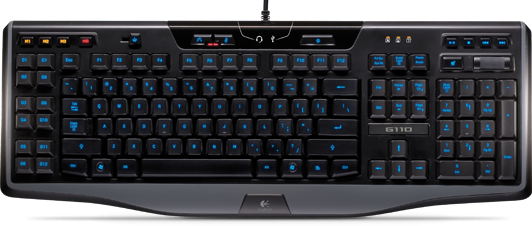
Short question....my keyboard is a bit....dirty and I would like to thoroughly clean it. I saw someone remove all the keys on his Logitech G110 once, is that ok to do? Can I just pop them off or is the risk too big for possible damage.
1m.png
 
Short question....my keyboard is a bit....dirty and I would like to thoroughly clean it. I saw someone remove all the keys on his Logitech G110 once, is that ok to do? Can I just pop them off or is the risk too big for possible damage.
1m.png

I am not sure but i think it's a chicklet keyboard right?
The only way to clean a keyboard properly is to remove the keys.

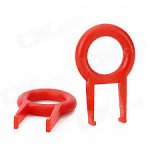
If the keys protrude lots then use this tool to remove them safely.
aa.jpg
 
I am not sure but i think it's a chicklet keyboard right?
The only way to clean a keyboard properly is to remove the keys.

If the keys protrude lots then use this tool to remove them safely.
View attachment 20613

It is a rubber dome keyboard. I have one as well (or my wife does). I once tried to remove the keys but I stopped, afraid of breaking something.

My G710+ removes really easy though.
 
Thanks guys, what I did a while back was to remove the backside of the keyboard, take of the lectronikas and wash the keys under running lukewarm water with some mild soap.

I think I'll rather do that again then fool around with the keys and possibly messup my keyboard.
 
Don't think its such a big deal taking keys out. Maybe leave the bigger ones in such as the space bar as in my experience they have an extra spring that can be pain to line up but I have only done this with an old keyboard so they design might have changed.
 
Back
Top