



Building a gaming PC can be a daunting task, and even if you have a basic knowledge of computer hardware, it can be difficult to decide what combination of components you need to build a gaming rig.
Whether you’re looking for tips on buying your first PC components or wondering what type of motherboard to pair with your CPU, we’ve got you covered.
Here is some basic information regarding gaming PC components:
Processor
The CPU (Central Processing Unit) is the central component of any computer build. While not having as much of an effect on gaming as the graphics card, it is still important to have a processor that does not limit your gaming power and allows you to run the latest games.
As a general rule, it is recommended that gamers use an Intel Quad-Core processor, preferably one of the newer Skylake chips.
Depending on the performance level of your build however, anything as low as a Intel Core i3-6300 could be perfectly serviceable as well.

Motherboard
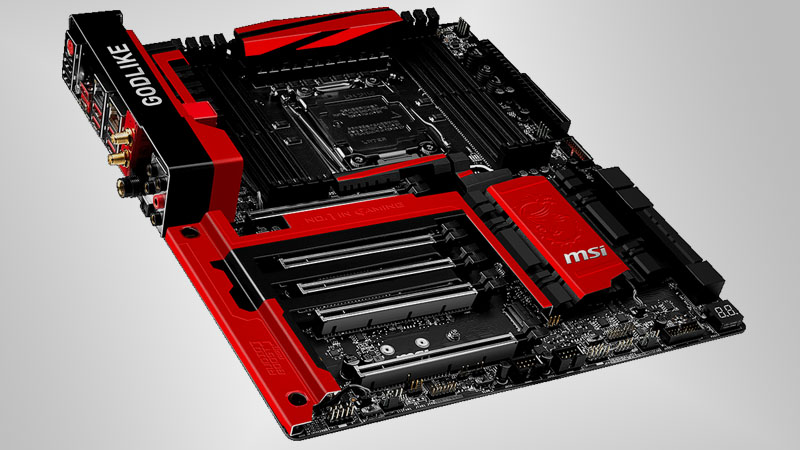
Your choice of motherboard determines what type of rig you will be building and most importantly, the type of CPU you can use.
Make sure the socket on your motherboard matches your processor, in the case of Skylake CPUs this is Socket LGA 1151.
Motherboard specifications also determine the maximum number of graphics cards, SLI compatibility, and if you can overclock your processor.
Be sure to research the limitations of your desired chipset before purchasing.
Memory
Random Access Memory is especially important for gaming and high-intensity tasks, and this is reflected in the quality of gaming-oriented RAM.
RAM type (DDR3, DDR4 etc.) must be compatible with the motherboard, otherwise the RAM modules will not fit into their respective slots or function incorrectly.
It is recommended that gamers include at least 8GB of DDR4 RAM in their build, but be aware that adding more than this makes no large improvement to gaming performance.

Storage Drive
Storage drives are available in two varieties, Solid State and Hard Disk Drives, with gamers ideally using a combination of both.
Solid State drives offer incredibly high transfer speeds at the cost of storage space and less endurance, while Hard Disk Drives grant users much more storage space at the same cost, but do not write and read data as quickly.
Generally, it is most efficient to load your operating system and boot files onto an SSD while keeping large amounts of less necessary data on your HDD.

Graphics Card
The graphics card is the centerpiece of any gaming rig, and ultimately decides the level of gaming performance output by the system.
Any graphics card can be the right choice, depending on the user’s needs, but it is recommended that gamers make use of the newer, more efficient GPU generations such as Nvidia GeForce GTX 10 Series and AMD’s Radeon RX Series.

Power Supply
A commonly under-appreciated component, the PSU supplies constant power to a system and should be of decent quality, especially if it is supplying power to an expensive graphics card or processor.
Power supplies are rated according to a specific 80 Plus system, which is crucial to determining their reliability.

Case
Cases come in all shapes and sizes, and determine what size and design your gaming rig will assume.
The size of the chassis also determines the maximum size and dimensions of the motherboard, graphics card, and PSU, so choose carefully so as not to limit yourself.

More gaming news
Here’s what games look like on the PlayStation 4 Pro






 Loading ...

I built a system with a good case, motherboard, PSU and memory. I’m not really sorry but if I got cheap versions of these components I could almost have afforded a second GTX 980 for SLI and for gaming GPU power is most important. I can still run most games at 144hz if I tweak the graphics settings so for now I’m still happy.