



I got my PS4 about a week before The Witcher III: Wild Hunt’s release in 2015, and at the start of 2022, after seven years of minimal maintenance on my part, the fan noise had just become too much to bear.
I couldn’t boot up any demanding games, like The Last of Us 2 or Red Dead Redemption 2, without it sounding like a hairdryer on full-blast.
I had already tried every possible solution that didn’t require me to take apart my PS4, but none of them solved the problem.
Finally, I realised that I’d probably have to do what I’d been avoiding — take apart my PS4 so that I could replace the thermal paste.
I followed along with a detailed YouTube tutorial video to strip my PS4 step by step — here’s what I learned from the process.
It is important to note that going through this process will void your PS4’s warranty.
If your console is still under warranty and you believe that it is faulty, you should take it back to where you bought it.
Before I could even begin the process, there were a couple of prerequisites:
- T8 or T9 Torx screwdriver
- flathead screwdriver
- utility knife
- compressed air
- isopropyl alcohol
- lint-free cloth
- kitchen towels
- good quality thermal paste
Surprisingly, the first thing I struggled with was removing four black stickers at the back of the console to get to the security screws.
To do it without damaging the housing, you’ll need a utility knife’s thin blade.

Removing the two middle stickers with the white text will void your console’s warranty. (Image credit: Sinister Cloud)
It is crucial to remember how you take your console apart — I sectioned up each component’s screws into small ziplock bags and marked them accordingly.
I particularly struggled with removing the power supply unit (PSU) too. To avoid damaging the power supply, I recommend first removing the PSU connector wire.
If you are stripping down an old PS4, the connectors and wiring will be less flexible than they used to be, so take extra care when disconnecting them.
Additionally, some cables can be tricky to reconnect, but be patient and take your time as the connection ports can be very fragile.
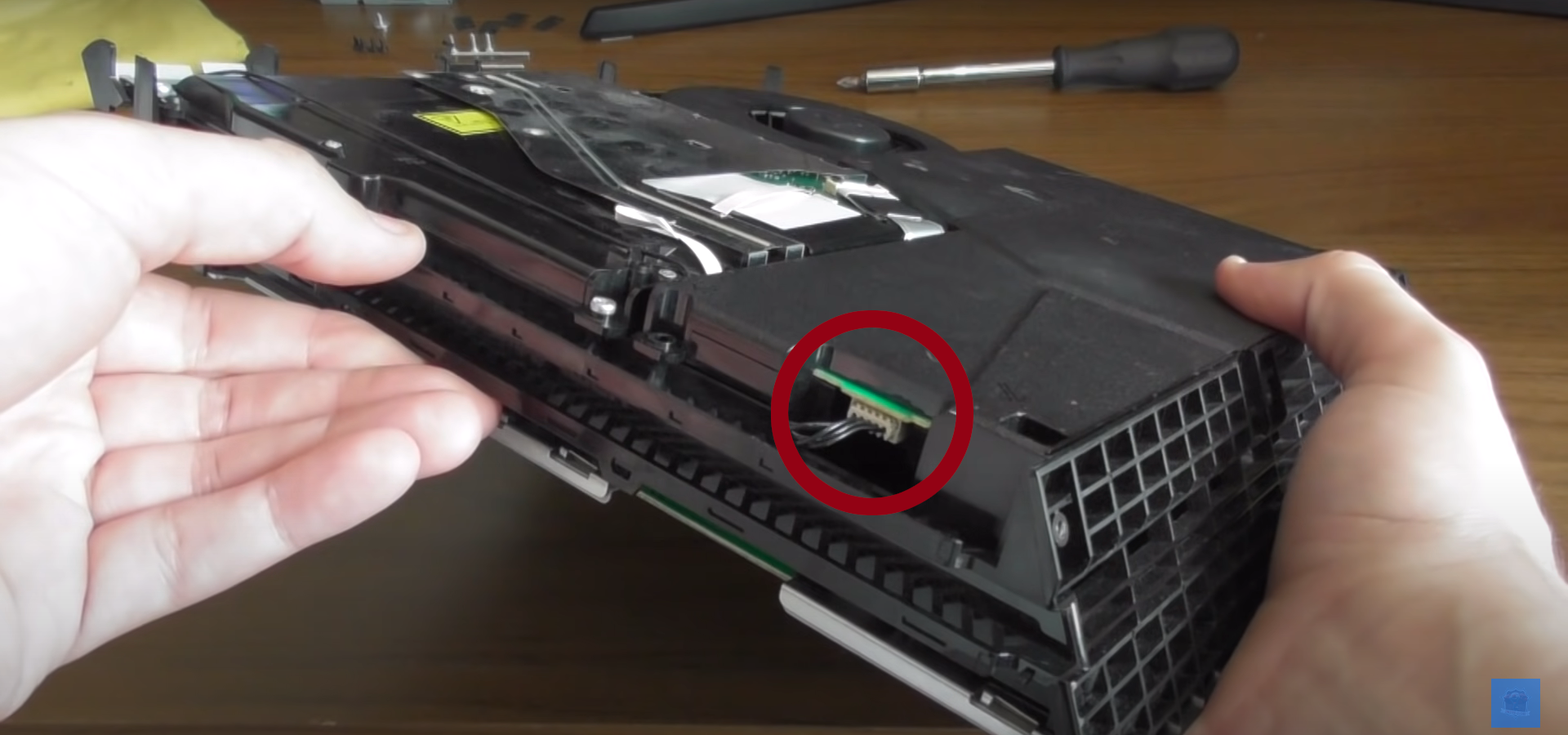
You should unplug the PSU’s power connector before removing it from the PS4’s case.
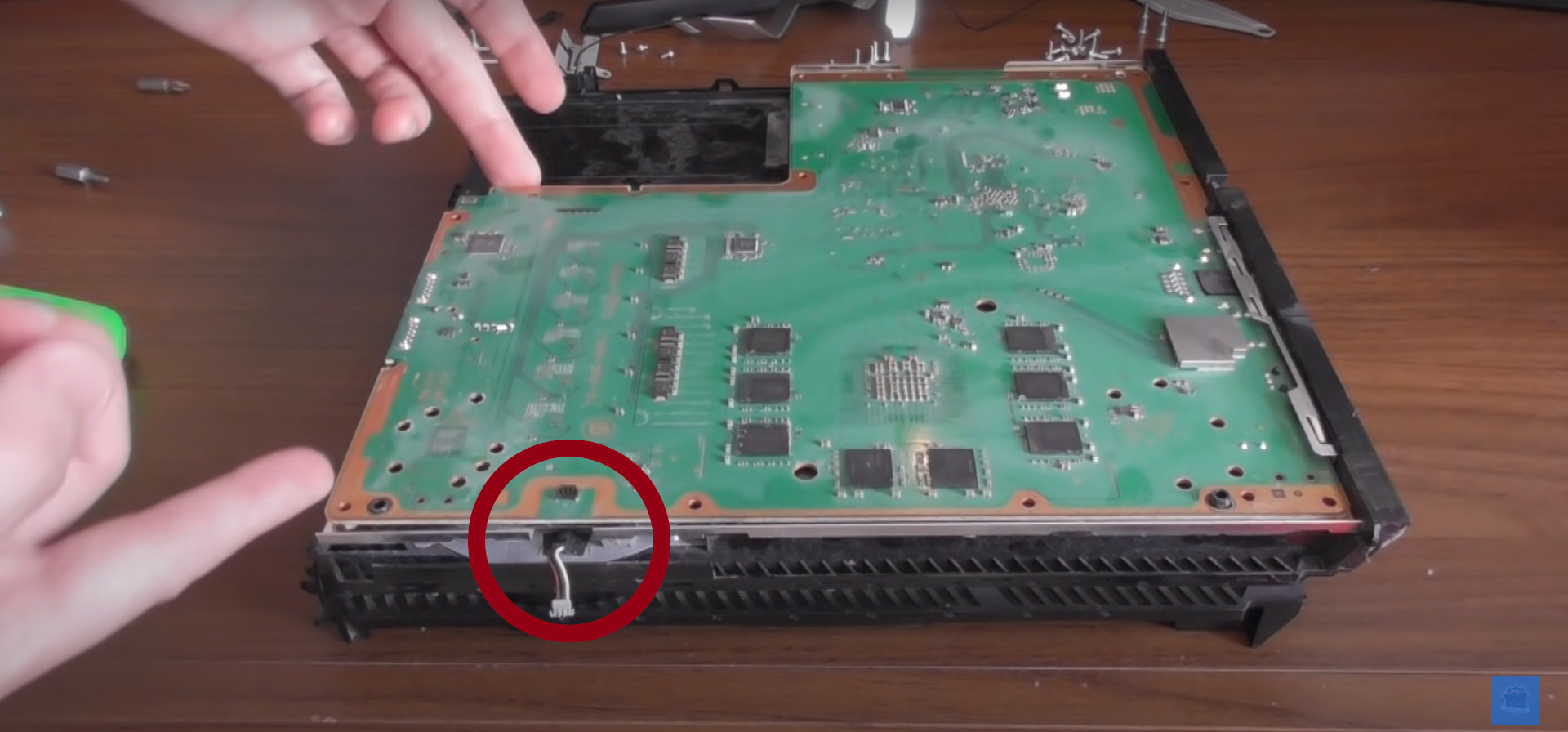
The motherboard’s power cable should be handled with care when disconnecting and reconnecting it. (Image credit: Sinister Cloud)
It is important to clean the heat sink and the fan thoroughly with compressed air.
Regarding the fan, you should keep it in place with one hand while systematically cleaning the fins with compressed air — if you allow the fan to spin too quickly when spraying it with compressed air, it can damage the component.
To remove the old thermal paste, dab a kitchen towel in some isopropyl alcohol and gently wipe away all the residue on the CPU and backplate.
When reapplying the thermal paste, remember that less is more and that you should only use a pea-sized amount.
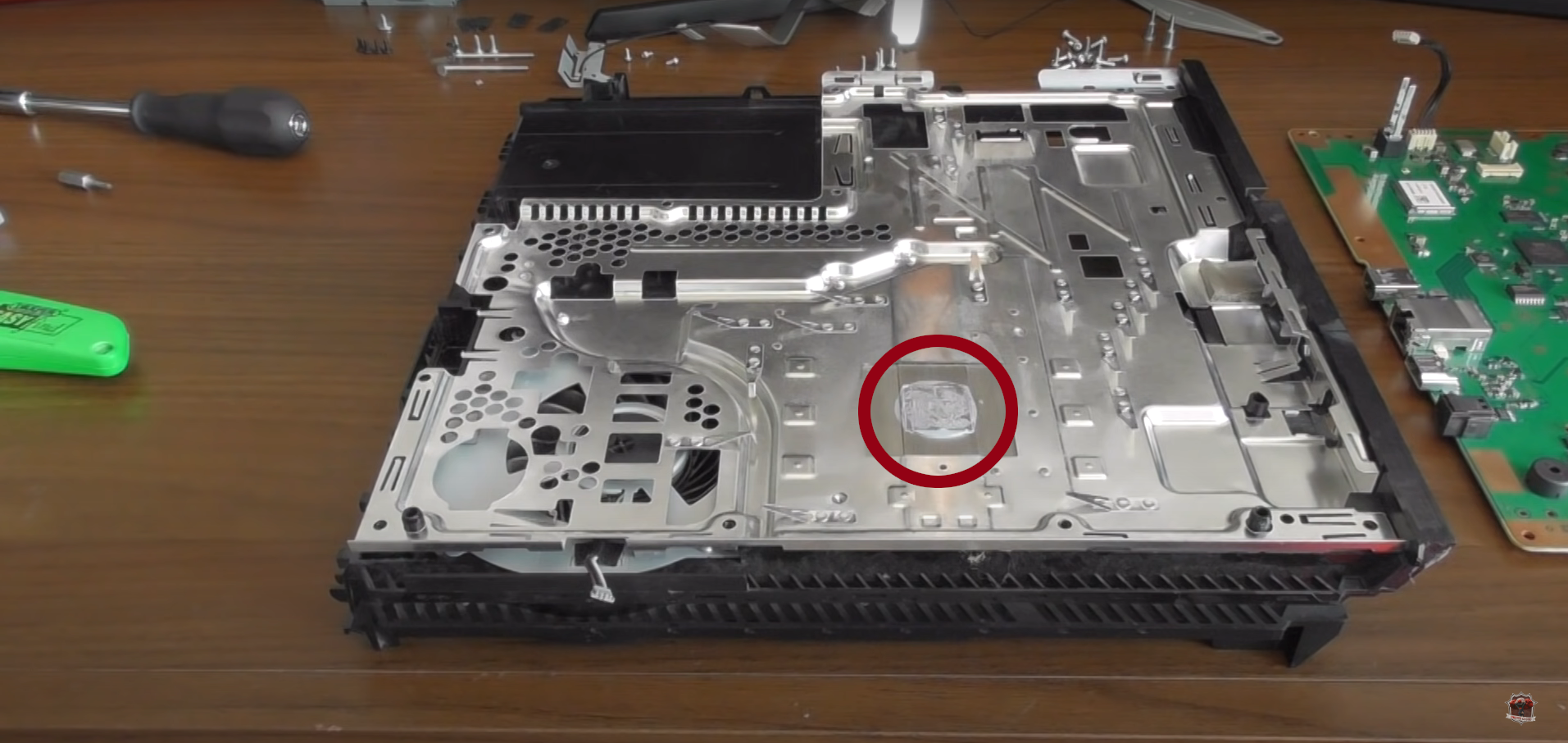
The old thermal paste residue on the backplate. (Image credit: Sinister Cloud)
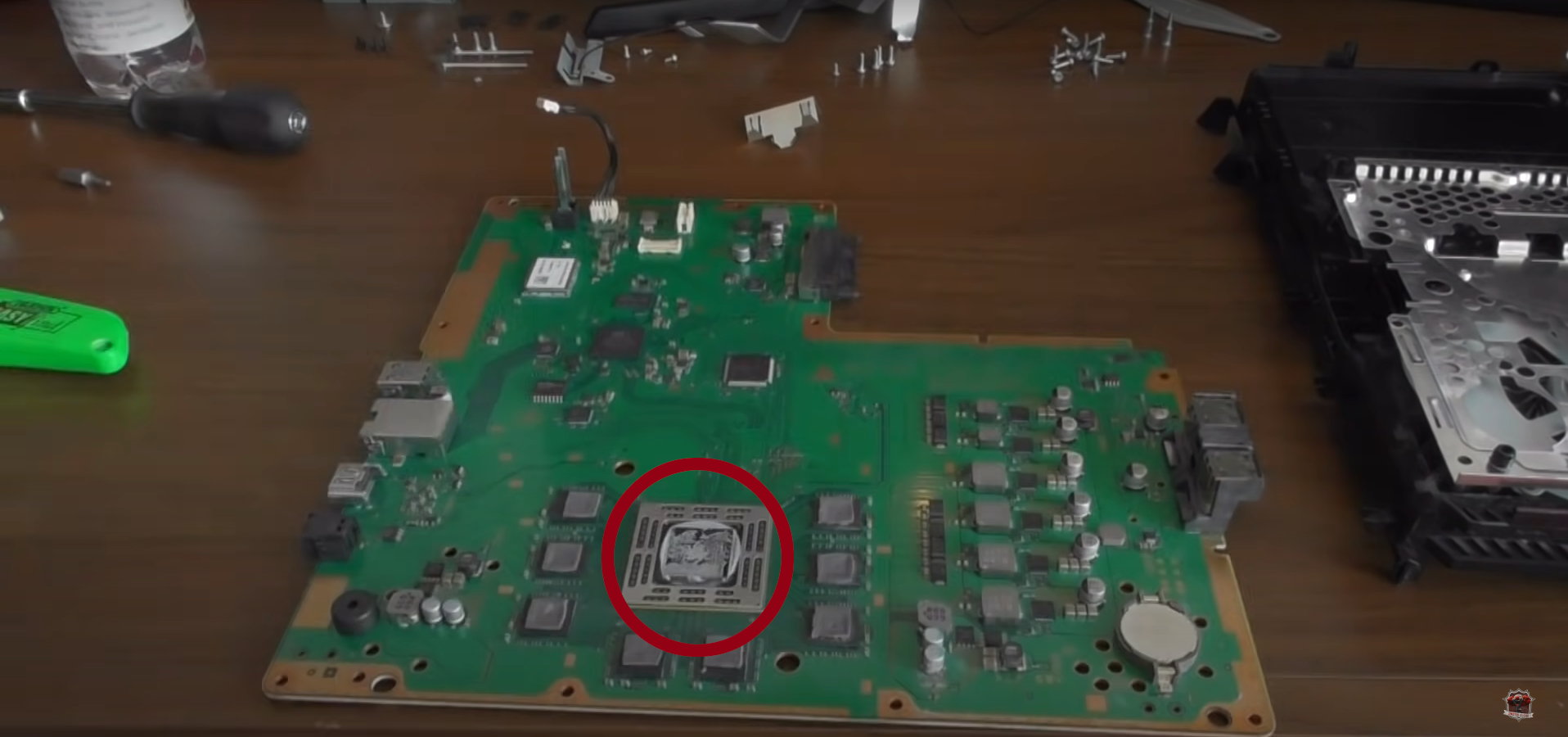
The old thermal paste on the CPU. (Image Credit: Sinister Cloud)
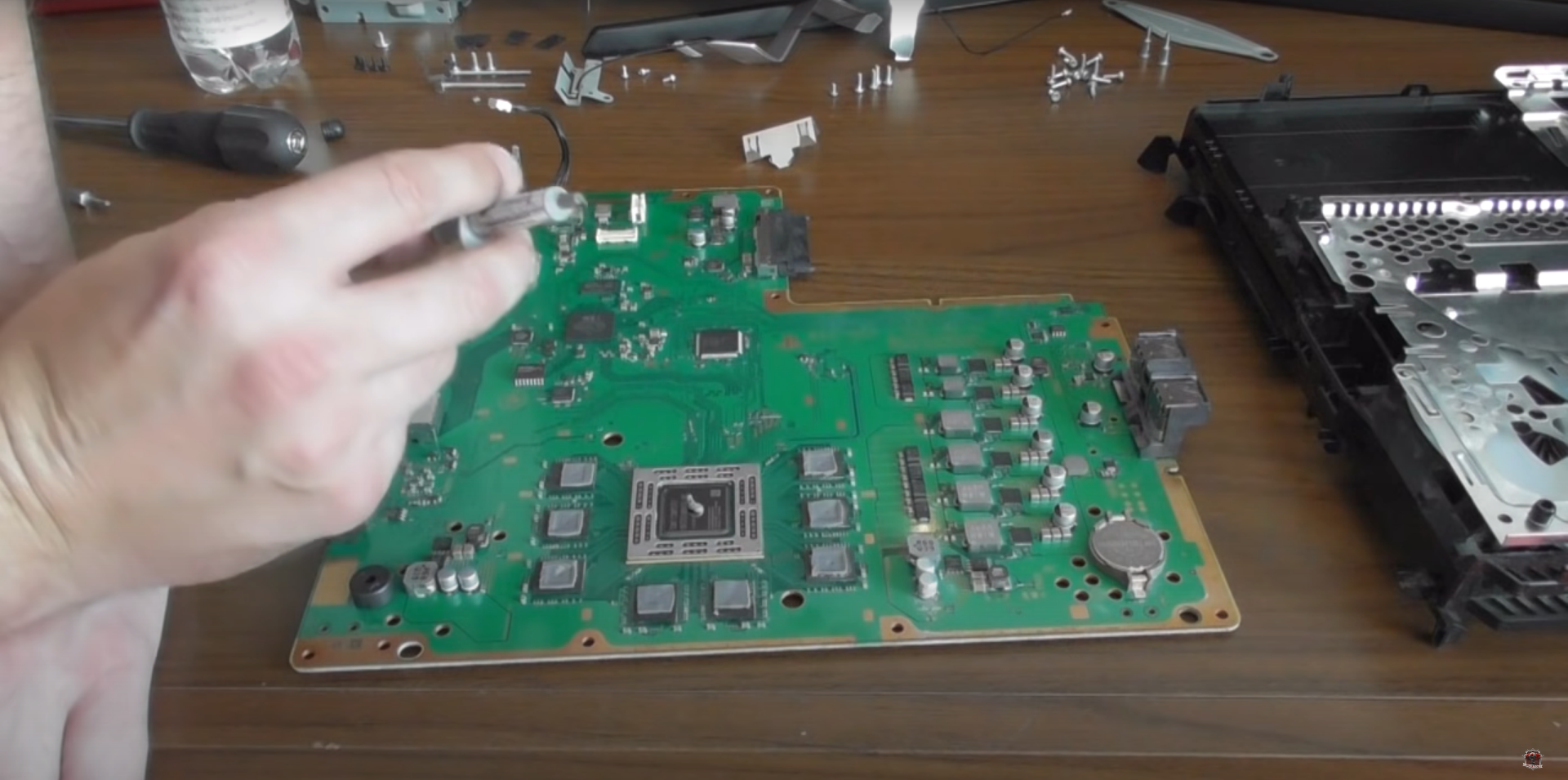
A pea-sized amount of thermal paste is all that is needed. (Image credit: Sinister Cloud)
As some final remarks, you should remain patient and not rush the process.
I rushed the reassembly process, which meant I had to go back to repeat some steps since I ended up with two screws left over after finishing.
I was relieved to find everything in working order when I booted up my PS4 again, which was now quieter than it had been in years.
Even though I could still hear the fans kicking in when I started playing Red Dead Redemption 2, it wasn’t bad enough to force me to play with headphones on to escape the noise.
In the end, it is better to prevent the PS4 fan noise problem by not letting excessive dust buildup damage the console’s internals by cleaning it regularly.






 Loading ...
