



At MyGaming we’re familiar with the strain that is thinking of a present for someone and making sure it’s one they’ll actually use – so much so that we’re going to throw out some ideas for your wishlists, and make doubly sure that they’re awesome enough to see use from the people you’re giving it to.
We’re going to be recommending a processor, a budget motherboard, a decent memory kit, a GPU at a good price and an all-in-one water cooler for the discerning gamer who doesn’t have these nice things yet.
Processor – Intel Xeon E3-1240 V2
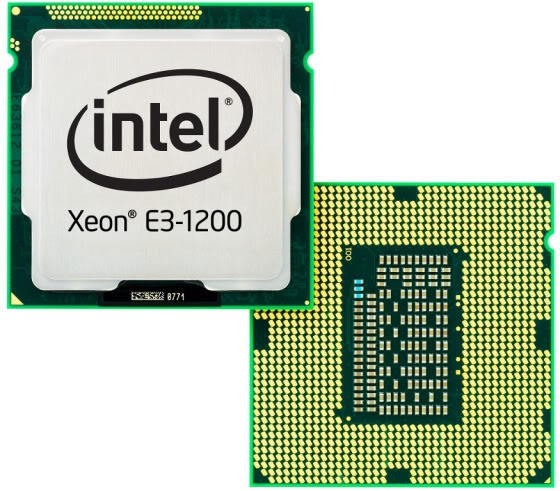
Intel Xeon E3-1240 v2 belongs to the E3-1200 family of server processors
Because Intel has set a premium on their Core i7 processors it becomes pretty easy for most gamers to drop down to the Core i5 family instead. But in doing so, you lose four extra threads through Intel’s Hyper-threading feature, which today is used very widely in most games and applications.
Fear not, though, because most motherboards on the LGA1155 socket have compatibility with the Xeon E3-1240 V2. Intel’s best-kept secret is this server-bound chip that is pretty much an underclocked Core i7-3770 for much less money. If you’re not overclocking and don’t want to spend nearly four grand, this is the nest best thing.
If you’re looking for the Haswell version of this chip, it’s the Xeon E3-1230 V3.
Honorable mention: AMD A10-6800K – Although it’s still a tad expensive in most places, this is the best APU money can buy today and it’ll play most games at 1080p with low to medium settings as well. Best paired with really fast memory.
Motherboard – MSI Z87-GD65 GAMING
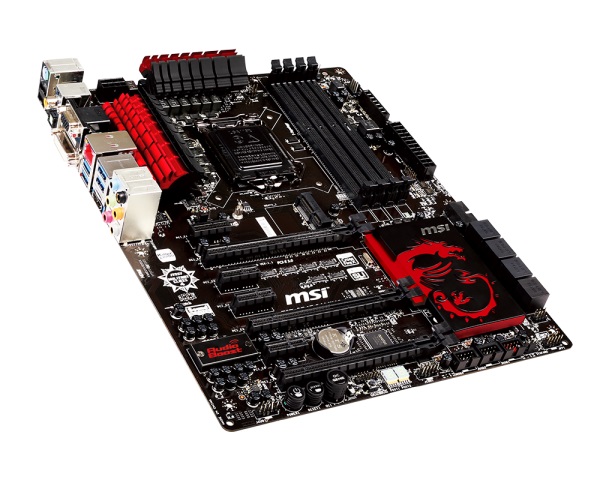
MSI Z87-GD65 GAMING motherboard
MSI’s Gaming brand has been pulling off many wins lately and none has been as ambitious as the Z87-GD65 GAMING. It doesn’t command as high a price as other boards, but it is one of the big players in the Z87 space, offering a very distinct look thanks to the dragon logos and red highlights, as well as offering a completely black PCB.
The GAMING version of the vanilla GD65 also includes a reworked audio solution from Realtek (ALC1150) and Killer NIC networking, giving players a large set of tools and configuration options to improve their internet gaming experience as much as possible. The board also scored top marks with many reviewers, with Anandtech strongly recommending it to any gamer looking for good hardware.
Honorable mention: MSI Z87-G41 PC Mate – The entry point into overclocking for the Intel Haswell platform requires a board with the Z87 chipset, which this MSI board boasts. It is also a no-frills solution, offering as much as any computer user would need to set up a decent rig with some overclocking capability, but not offering too many features to the point where they become superflous. Its damn cheap, too.
Memory – G.Skill Ares Blue DDR3-2133 8GB
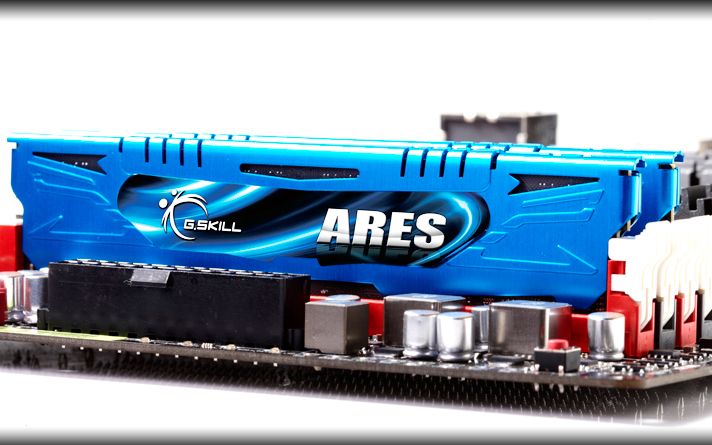
GSkill Ares II Gaming memory
G.Skill is one of the world’s biggest and best memory manufacturers and hits the high notes when it comes to competing in overclocking competitions. The Ares II Blue lineup is one of the cheaper kits that they aim at gamers and it pretty much does all you could want for a decent price around R1,000. I own this kit myself and even at the low-end, in computers that can’t hit the set’s top frequency, there’s a lot of scope for tweaking and tightening the timings if you’re unable to overclock your processor.
A good DDR3-2133 memory kit is also vital if you’re planning on using and APU for your gaming needs. AMD’s Richland APUs can use the full 2133MHz frequency, while in their upcoming Kaveri product a good 2133MHz kit will likely be the recommended baseline to deliver good performance in most games. There’s also the benefit that most Ares kits have some overclocking headroom, so it should be simply enough to bump up the speed to 2400MHz with few adjustments.
Honorable mention: Corsair Value Select 4GB DDR3-1600 – Memory will always be an expensive component in the system and at least prices for 4GB modules are going back to a sensible level. A single stick of Value Select memory isn’t going to blow your socks off, but it is going to allow you to build a decent system and include 4GB of memory right off the bat, allowing your 64-bit OS to use all the memory it needs.
Graphics card – Gigabyte Radeon R9 270X Windforce 3X 2GB GDDR5
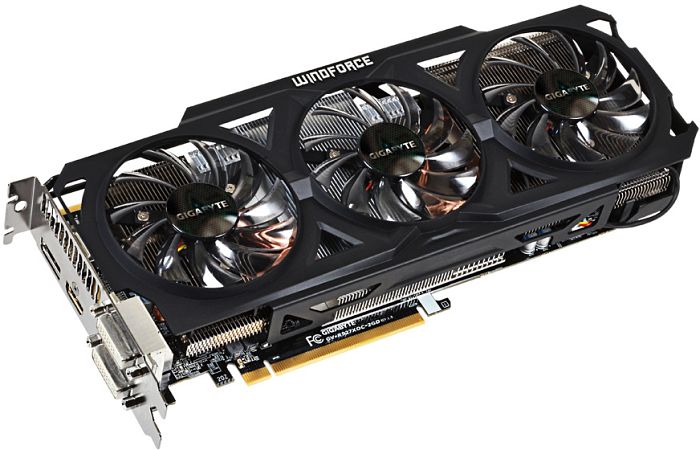
Gigabyte Radeon R9 270X Windforce 3X
GCN graphics core? Check. 2GB of VRAM? Check. Gigabyte Windforce cooler? Check. Low price? Check. Mantle support? Check. TressFX support? Check. Eyefinity without Displayport? Check.
AMD’s got a winner on their hands with the R9 270X. Its based on the outgoing Radeon HD7870, only this time its clocked slightly higher and drops into the market with a significantly lower price, beating the competing GTX660 to second place.
AMD also has several pet projects going on that will benefit their graphics cards in the future. There’s Mantle, a new API that seeks to change the way that games are coded for desktop computers and will benefit AMD’s GCN graphics cards by giving them a big boost in overall performance. Then there’s also the improvements that AMD is making to frame pacing on GCN graphics cards in their drivers, notably fixing most of the issues for Crossfire and some Eyefinity corruption issues.
Honorable mention: Sapphire Radeon HD7750 1GB – Stuck on a low budget with little room to move? Don’t need to play games at a resolution higher than 720p? The HD7750 will fit the bill for you then, offering enough horsepower to play any game on mostly high settings at 720p and offering a substantial boost over the visual fidelity you’d find in previous-gen consoles.
Water-cooling unit – Corsair H80i Hydro

Corsair H80i all-in-one water cooling unit
One of the first companies to really popularise the idea of all-in-one water coolers, Corsair’s H80i is my first recommendation because it is much more flexible and configurable than most other designs and it also comes with a software-controller pump, giving users more control over flow rate and CPU temperature using the included Corsair Link software. The configurable LED is the icing on the cake.
The H80i is also flexible in terms of chassis that it can be fitted into. Because most people do not have a case that accommodates dual radiators but does have a 120mm exhaust, the H80i is able to be included in many more systems than most high-end configurations and also needs no maintenance whatsoever. Set it and you can mostly forget about it, until you have to do that three-monthly dust blowout. You do blow out your computer, right?
Honorable mention: Cooler Master Seidon 120v – Its not going to allow your CPU to set on fire and that’s all that a water cooler needs to do, really. The Seidon 120v is Cooler Master’s budget offering and at around R500, its kicking around with some of the more premium air coolers on the market. For the first time, water-cooling your CPU is actually quite a cheap exercise and as a bonus it fits into almost any chassis on the planet.
More Hardware news:
AMD announces the Radeon R7 260 graphics card
SteamOS, Steam Machine hardware put to the test






 Loading ...

I was a Huge Radeon fan, I have a 7850 for over a year and it’s still doing well.
But after reading Nvidia’s solution for the image tearing issues when V-Sync is disabled….I might start screaming for the green team.
G-Sync by nVidia is the quite an important graphic improvement especially with FPS type games in my opinion.