



The PlayStation 4 has been on international shelves for over 2 months now and I have spent a lot of time with mine; enough time to compile a list of firmware features that its lacking.
I am not talking about ridiculous features that we will never see – I am talking about features that have been present in past consoles but are lacking in the current.
No PS3 = No Premium Avatar customization.
Everyone loves having an exclusive Avatar to show off to their online buddies, but did you know that if you do not own a PS3 you cannot use all those pretty premium Avatars that come with those expensive Collectors Editions?
That’s right, there is no way to select premium avatars on the PS4 (yes, you can change it to one of the preset Avatars, but where’s the fun in that?).
However, you can switch your PS3 on and go into account information and there change to your Ellie or Joel Avatar, which not only proves your affinity with technology but also gives you digital bragging rights.
No Download list
On the PS3, if you want to go and download something you had previously, such as the Free Fall map from COD: Ghosts, you would load up the PS Store, go to the download list, find what you want and re-download it.
On PS4 you can’t do this.
I spent hours trying to re-download my Call of Duty Ghosts Collector’s Edition content, including the season pass and Free Fall map.
After much online sleuthing I discovered that you have to go “like” something in the Live Area on your PS4 then it will take you to the store and you will be able to download the item; convenient hey? Sony, just add a downloads list.
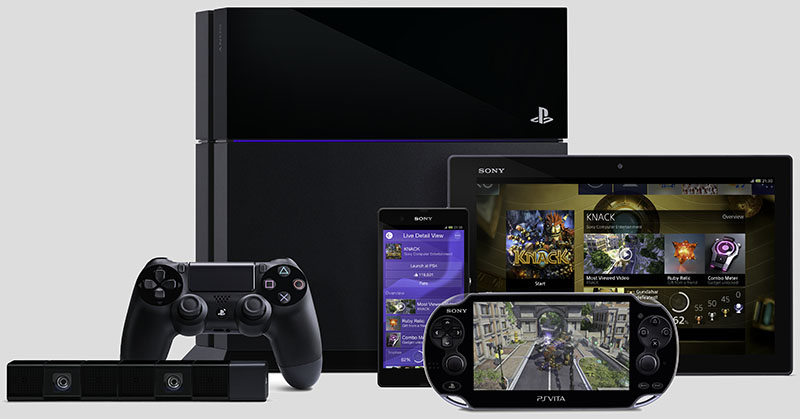
PlayStation 4 and connected devices
Let’s have a movie night.
One of the best features of the PS3 was its ability to play AVI and MP4 files on a USB stick formatted as FAT32. Due to the lack of NTFS support on the PS3, this was restricted to 4GB files.
Now, we don’t know if Sony refused to pay Microsoft the NTFS license fees, or if Microsoft refused to license it to Sony, but nonetheless it was a great feature that really helped during movie nights.
The PS4 does not support any external USB device which ultimately means no copying those “family event movies” to your USB stick and hosting a movie night.
The PS4 also lacks DLNA support which means there is no streaming movies from your PC or media hub. Yes, there is a workaround by uploading your movies to the net and watching them via the PS4’s web browser, but that just seems extremely tedious.
Out of everything the PS4 is missing, this is my biggest disappointment.
We Love your Face!
I love my PS Camera; it’s sleek and the voice commands (which need work) are great to show off to your PS4-less friends – but you cannot switch the damn thing off!
I am not one to unplug cables while things are running so I looked for an “off” option in the PS4 UI (I was playing a Battlefield 4 match at the time and things weren’t going my way). After a while it became apparent that there is no way to play online with the camera plugged in and curse at the same time.
There is a work-around by keeping a voice chat open in the background and adjusting the settings in there to switch your mic off, but that is really inconvenient.

PlayStation 4 Eye
Standby is pointless
The new standby mode on the PS4 allows the console to enter a “low power state” in which it can still download files and charge your Dualshock 4.
But think about it; you are playing a game and need to run out quickly. You want to enter standby mode and continue play from where you left, but you can’t, the game closes and you will need to load it up again.
It needs a standby-resume feature and until then you might as well just shut it down.
No pause for you
When I first got my PS4 I couldn’t wait to start downloading my cross-gen upgradable games. But on a 4Mbps line, 40GB takes a while.
On a PS3 you would start all your downloads, pause them all, and resume them individually. On the PS4 you will discover that there is no pause button and all the games download at once. Some were stuck at an ETA of 100 hours.
No ability to pause game downloads or updates is sad. Given the size of these downloads, this could kill a capped user – Sony, add a pause option.
Have any features you could really use that are logical and needed, let us know tin the comments below.
More gaming news
New tax to hit online gaming, digital purchases in SA
SA consoles and games price hikes imminent
Nintendo to enter health business, still focused on hardware






 Loading ...

I have a work around for the no pause problem:
1. Queue your downloads
2. Kill internet connection until all the downloads give an error.
(At the router)
(this takes a couple of minutes)
3. Turn internet back on.
4. Resume them one by one.
It’s a pain but it at least allows one to get some downloads queued.