



The gaming mouse market is saturated with a range of options for all sorts of gamers. However no segment has more options available than the right-handed mid- to high-end range. The Razer Imperator is part of Razer’s expert series of peripherals, and sits right in the middle of this segment; but is there any reason to buy it over the myriad of competitors?
Features
The most marketed feature of the Imperator is the 4G dual laser system. It has a 6400dpi resolution, high enough for almost all types of gamers. It also features an adjustable liftoff tracking distance, which allows low DPI gamers who lift and re-place their mouse down to continue gaming while adjusting position.
There is also a rubberized thumb grip on the mouse to improve grip for gamers who lift off and readjust their mouse position. Just above the thumb grip there are two side thumb buttons which can me moved forwards and backwards for different hand sizes.
Other than the standout features, the mouse features 7 fully programmable buttons, gold-plated USB connector, and braided mouse cable. It also features low-acoustic Teflon feet, on the fly sensitivity changes and a 1,000Hz polling rate.
The Imperator comes with custom software that allows users to assign functions (including macros) to the 7 on-board buttons, tweak the mouse sensitivity and acceleration, manage custom game profiles, and manage the mouse lighting.
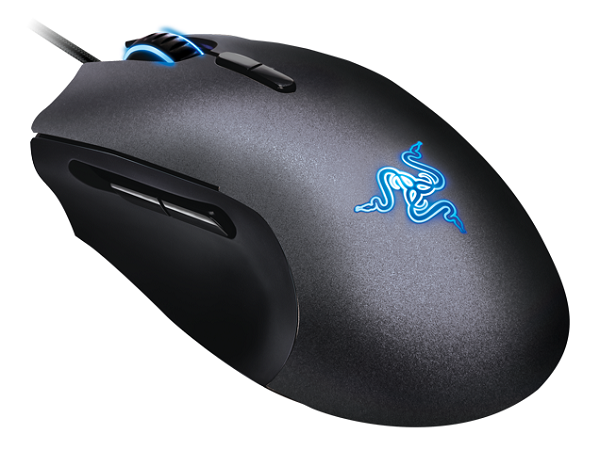
Razer Imperator side
In use
The Imperator is an easy mouse to get used to. Its comfortable right from the get go and with a quick adjustment of the thumb buttons, everything is within reach. The software is straightforward and simple to customize, though the amount of options available may be daunting to users who just want to plug in and play.
The mouse is geared for low sensitivity gamers, and once we had set up the lift off distance, gaming was a breeze. The mouse kept tracking during liftoff to the correct distance, and stopped tracking above a certain level the way we intended it too. This was great during gaming as there was no wasted movement while navigating around the game and the mouse behaved the way we wanted without negatively impacting the game by tracking at the wrong time.
Something for users to keep in mind is that the Imperator is less than ideal for gamers with very large or very small hands.

Razer Imperator front
Bottom line
The Imperator is a mid- to high-end mouse with all the usual features one would expect of a mouse in this category. The sensor lift system and rubber side grip are great for low DPI gamers, and the adjustable thumb buttons improve comfort during gaming. However the mouse does retail locally for around R800, making it a pricey option. Overll, a good mouse that comes recommended.






 Loading ...
