



http://mygaming.co.za/forum/showthread.php/55067-How-to-stop-WhatsApp-from-sharing-your-account-details-with-Facebook?p=1274005#post1274005WhatsApp has updated its privacy policy, allowing it to connect your phone number with Facebook’s systems.
This is part of its plan to test ways for people to communicate with businesses.
“We will explore ways for you and businesses to communicate with each other using WhatsApp, such as through order, transaction, and appointment information, delivery and shipping notifications, product and service updates, and marketing,” said WhatsApp.
Marketing messages could include an offer for something that might interest you, it said.
“We do not want you to have a spammy experience; as with all of your messages, you can manage these communications, and we will honour the choices you make.”
How to stop WhatsApp from sharing your information
WhatsApp stated that sharing account information with Facebook and the Facebook family of companies allows it to “coordinate more and improve experiences across our services”.
Part of the benefit will be better friend suggestions and more relevant ads on Facebook.
If you are a WhatsApp user and do not want to share your account information with Facebook, you can take the following steps to prevent it.
Option 1
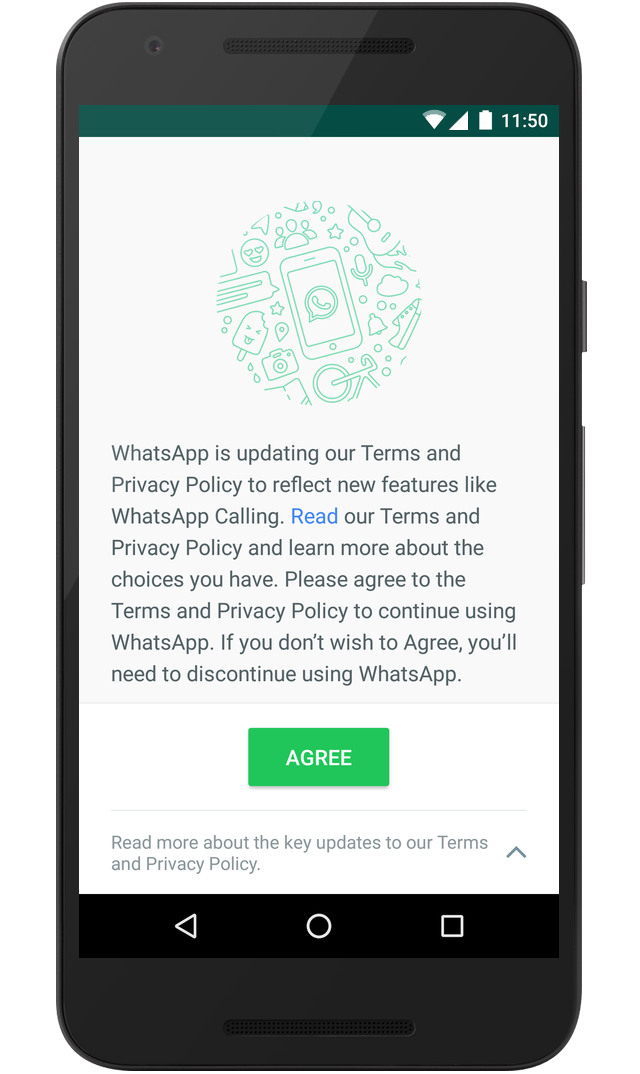
Before you tap Agree to accept the updated Terms of Service and Privacy Policy, tap Read.
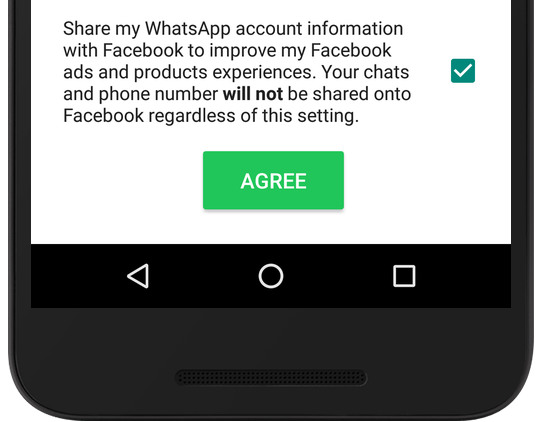
You will see a control at the bottom of the screen.
If you do not want your account information shared with Facebook, you can uncheck the box or toggle the control.
Option 2
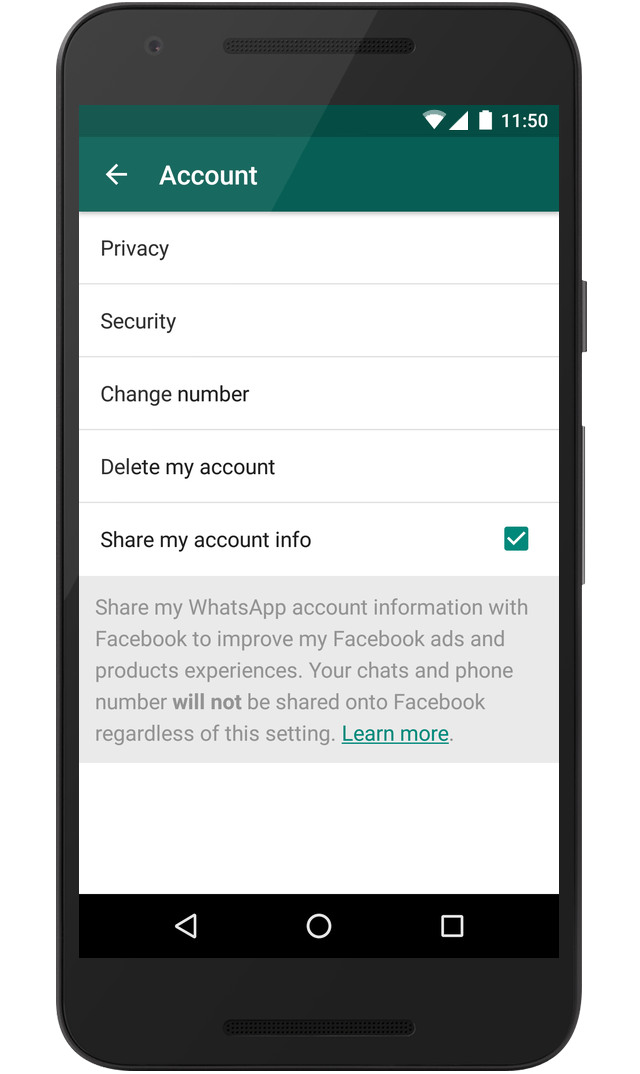
If you have already agreed to the updated Terms of Service and Privacy Policy, you have 30 days to change your choice by going to:
Settings > Account > Share my account info in the app.
If you do not want your account information shared with Facebook, you can uncheck the box or toggle the control.
The Facebook family of companies will still receive and use this information for other purposes, such as improving infrastructure and delivery systems.
This article first appeared on MyBroadband and is republished with permission.
More WhatsApp news
Big changes to WhatsApp privacy policy lets it send you ads






 Loading ...

Something worth reading for a change. Thank you