Network Monitoring and such

Mattt

New member
I have kind of been expected to take care of all the IT duties in my office and one of those duties is to make sure that the internet is not being abused, as in, porn, torrents, excessive amounts of non-work related youtube videos etc.

The problem here is that I have a very basic understanding of networks and don't know what I can and can't do in terms of network monitoring. I have looked around on the internet and found a bunch of freeware that will monitor usage and other fancy things that I probably wouldn't need but nothing that works as simply as it does in my head.

So, ideally, I would like to be able to set up user accounts of sorts and then be able to see what each user is getting up to. Then deny access to whichever sites I feel are being used to abuse the internet. The office is comprised of a whopping 6 people with a basic ADSL router distributing internet access to whatever is on the wifi or wired network.

If anyone could point me in the right direction I would really appreciate it.

I'm not sure if I should have put this elsewhere in the forum but it didn't seem to fit anywhere so I'm dumping it here.
 
First and foremost, do you have a budget?

There are free firewall packages out there that will do what you want. If you can get a PC with two network cards in it, put one of those firewall distros on it, set up a proxy or captive portal for user authentication, and something like dansguardian to filter out unwanted sites...

A few distros that come to mind are IPCop, Smoothwall, PFSense... Lots of variety out there.
 
I would think that to really control and monitor things, you might need to use a proxy server, and maybe use Active Directory for the user accounts, then you can have server defined users and group policies rather than just everyone having their own local user. At the very least, you should be block certain sites at the router.

Probably best to wait for a network admin type person to weigh in though.
 
I would think that to really control and monitor things, you might need to use a proxy server, and maybe use Active Directory for the user accounts, then you can have server defined users and group policies rather than just everyone having their own local user. At the very least, you should be block certain sites at the router.

Probably best to wait for a network admin type person to weigh in though.

Active directory is pretty much overkill for a 6 person network in my opinion... A built-in userbase would be fine for his needs, by the sounds of things. Keep the KISS principle. (Keep it simple, stupid)
 
Active directory is pretty much overkill for a 6 person network in my opinion... A built-in userbase would be fine for his needs, by the sounds of things. Keep the KISS principle. (Keep it simple, stupid)

Ya, I was just throwing in some ideas because there weren't other replies yet. That's why I was saying to wait for a network admin type person. We're running Active Directory in a small office, but then again, we have server licences that come with our MSDN subscription so we're not paying extra for it or anything, and we don't really use it for anything except authentication so it's a bit of a waste.
 
First and foremost, do you have a budget?

There are free firewall packages out there that will do what you want. If you can get a PC with two network cards in it, put one of those firewall distros on it, set up a proxy or captive portal for user authentication, and something like dansguardian to filter out unwanted sites...

A few distros that come to mind are IPCop, Smoothwall, PFSense... Lots of variety out there.

Budget? What is that? It wouldn't be seen as a necessary expense. Even though it's a requirement at this point. So in other words, I'm looking for the simplest way of doing this, for free.

I would think that to really control and monitor things, you might need to use a proxy server, and maybe use Active Directory for the user accounts, then you can have server defined users and group policies rather than just everyone having their own local user. At the very least, you should be block certain sites at the router.

Probably best to wait for a network admin type person to weigh in though.

I can block sites at the router but that affects everyone. The boss, for instance, needs to have full access all the time. It's really just about making sure the worker bees are not slacking.
 
Mattt what router do you have maybe check if they have Access Restriction settings for it.
 
Last edited:
Budget? What is that? It wouldn't be seen as a necessary expense. Even though it's a requirement at this point. So in other words, I'm looking for the simplest way of doing this, for free.


I can block sites at the router but that affects everyone. The boss, for instance, needs to have full access all the time. It's really just about making sure the worker bees are not slacking.

I'm sure you're at the very least going to need a spare machine to act as a proxy server, so unless you have one lying around, you'll need some budget.
 
As matt said, you're not going to get off completely free unless you have spare hardware just laying around. It doesn't need to be anything massive for 6 users. You'd probably be ok with a 6 year old machine with a gig of ram and 250gb of hard drive space (mostly for log file storage, even 80gb would do).
 
Mattt what router do you have maybe check if they have Access Restriction settings for it.

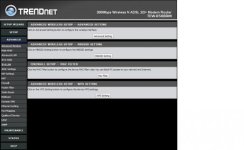
Its a Trendnet jobby, nothing fancy.

router.jpg

As matt said, you're not going to get off completely free unless you have spare hardware just laying around. It doesn't need to be anything massive for 6 users. You'd probably be ok with a 6 year old machine with a gig of ram and 250gb of hard drive space (mostly for log file storage, even 80gb would do).

I have an old laptop lying around. would that help?
 
It depends on the setup.

Personally I believe that a proactive approach beats a reactive approach; You don't need to actively monitor what is going on, rather get a type of proxy server (there's even cloud proxy services available). Then you can not only cache traffic, but you can also whitelist and blacklist certain sites, protocols, etc... but as I said, it depends on how you are set up.
 
One word...

Squid

Simplistic to setup, use the laptop, does caching, does monitoring can block sites, etc
 
Last edited:
The idea is that the guys should be able to do whatever they want as long as their work is up to date. So it would have to be a reactive approach to nonperformance.
 
The idea is that the guys should be able to do whatever they want as long as their work is up to date. So it would have to be a reactive approach to nonperformance.

So maybe if people aren't performing, then you can check out the traffic logs and kak yourself out for being on MyGaming instead of working? I'm sure your router can keep a log of traffic. Maybe just reserve everyone their own IP address so you know for sure who's who. You can do that in the router too
 
First and foremost, do you have a budget?

There are free firewall packages out there that will do what you want. If you can get a PC with two network cards in it, put one of those firewall distros on it, set up a proxy or captive portal for user authentication, and something like dansguardian to filter out unwanted sites...

A few distros that come to mind are IPCop, Smoothwall, PFSense... Lots of variety out there.

^ This. Should put you back R3k max. 1 card on the network the other on the Router, use Squid which is super basic to use and there you go.

What Router have you got - Decent Routers (DrayTek etc) are brilliant as firewalls as well.

The idea is that the guys should be able to do whatever they want as long as their work is up to date. So it would have to be a reactive approach to nonperformance.

In that case...

I think Wireshark will be the best option if complicated. Otherwise check http://www.softperfect.com/ they have a bunch of easy to use monitoring apps for all ends.
 
This is what the squid reports looks like

You can go further in to see what websites they visited, you dont HAVE to block them... Also tells by time

sarg.PNG
 
One word...

Squid

Simplistic to setup, use the laptop, does caching, does monitoring can block sites, etc

Their downloads seem to be broked. It's not recognising the install files so I can't even try it out.

So maybe if people aren't performing, then you can check out the traffic logs and kak yourself out for being on MyGaming instead of working? I'm sure your router can keep a log of traffic. Maybe just reserve everyone their own IP address so you know for sure who's who. You can do that in the router too

MyG is an incredibly resourceful tool! It's like, the internet.

It doesn't look like I can grant access to specific IP addresses.
 
Their downloads seem to be broked. It's not recognising the install files so I can't even try it out.


MyG is an incredibly resourceful tool! It's like, the internet.

It doesn't look like I can grant access to specific IP addresses.

Most probably because you were trying to download a linux version xD

Wait, there was a 3in1 that did everything for you in one go, let me find it quick...

UPDATE: K found it its 13mbs, on my network though, will upload it to dropbox tonight, im going home in 7 mins and wont be finished by then will update when i get home done etc...
 
Last edited:
Most probably because you were trying to download a linux version xD

Wait, there was a 3in1 that did everything for you in one go, let me find it quick...

UPDATE: K found it its 13mbs, on my network though, will upload it to dropbox tonight, im going home in 7 mins and wont be finished by then will update when i get home done etc...

Great. Fantastically kind of you.
 
Back
Top