Arkham Knight's PC Patch Is FINALLY Out

Dohc-WP

Ron Burgundy
1414913211416504393.jpg

Arkham Knight, a PC game so broken that its publisher Warner Bros. had to withdraw it from sale, was released in June. It’s taken until September, but a patch to (hopefully) fix it is rolling out now.
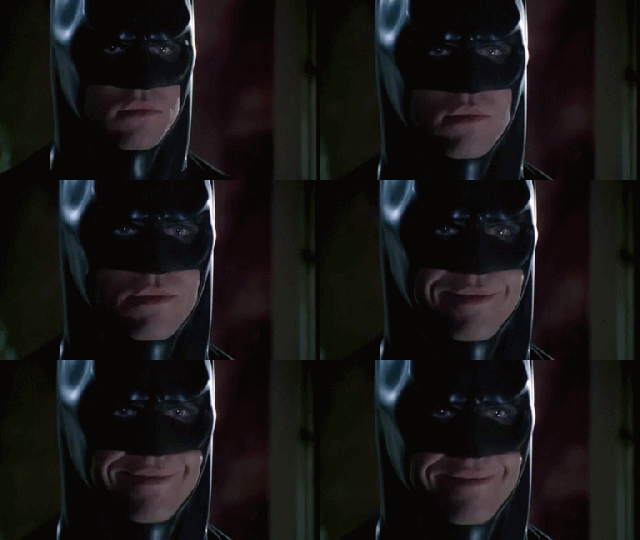
1414912456386286405.gif

The update popped up earlier in the week for beta testing, but WB announced today that it’s now available “for those who already have Batman: Arkham Knight for PC”. Note that this doesn’t mean the game is back on sale for anyone holding off; at time of posting, Arkham Knight was still unavailable for purchase on Steam.

Below are the important patch notes:

Reduced frame rate hitches

Optimizations for system memory and VRAM usage

Improved performance on all GPUs (requires the latest drivers)

More Comprehensive In-Game Settings

Fixed low resolution texture bugs

Fixed hitches when running on mechanical hard drives (HDD)

In addition to the above, we’re continuing to work on the following for future updates:

Adding support for SLI and Crossfire

Adding support for the latest DLC & Season Pass content

Adding support for additional updates such as Photo Mode

Continued improvements and bug fixing for a Windows 7 specific memory issue that occurs on configurations with 8GB of system RAM and some NVIDIA GPUs during extended game play

Continued improvements for Windows 10 specific issues on systems with some AMD GPUs
Courtesy of Michael Fahey, here’s a shot of the new graphics settings screen, showing some of the new options:

1414913211638787401.jpg

Source: Kotaku
 
I've installed the patch (626.2mb) and this is what happened:

Originally (before [MENTION=12607]mottamort[/MENTION] 's tweak tips) I got roughly these results from the in-game benchmark:
Min 19fps
Max 55 fps
Avg 27
(I didn't make notes, so this is from my flawed recall).

Unfortunately, I didn't run a benchmark after the tweaks :/

I installed the patch and left all settings as it was from the tweak app.
Results:
Min 32
Max 81
Avg 58

Next, I changed some settings from the options screen. The options now gives an indication you how much GPU memory your settings will use, so I let those guide me.
I changed:
"windowed - borderless" to "fullscreen".
"low detail" to "normal detail".
"trilinear anisotropic" to "4x anisotropic"
I also switched on the rain and lighting effects.
Results:
Min 35
Max 79
Avg 55

In both instances, the min framerate above happened right at the start of the benchmark. I kept a sharp eye on the fps counter and I never saw it drop below 45 on both runs.

OK, so now I launched the game with the last settings and played the first few minutes up to (and slightly beyond) the point where the batmobile is summoned for the first time ("Let's even the score").

No stuttering. Not even in the cutscenes.
Actually, I'm seeing some screen tearing since VSync is off.

Now the bad stuff:
I'm still seeing texture popping, both in-game and in the benchmark but since I'm running the game at pretty low levels (1980 x 1020 with everything "low" except detail) this is expected.
It takes longer to load. Much longer. Especially when you've changed settings. I'm talking ~10 seconds from where I hit "play" in steam before the load screen appears.
I tried to run it in "windowed - bordered" with a lower resolution and the game hung.

So it's not yet perfect, but judging from the first five minutes the patch is doing the trick. For me, at least. I'm not sticking my neck out and saying everybody will have the same improvements that I got. Not with this game :D

tl;dr

I got great improvements with the patch. Hope you do too.

For reference:
My PC specs
i5 4460
8gb Ram
R9 270X

My specs
1.74m
92.4 kg
39yo
 
Hmmm.
It seems that the built-in benchmark is pretty useless.
I changed all my settings to as high as it would go, pushing the little memory gauge faaaar into the red and my results (with VSync on, again @ 1920x1080)

Min - 29
Max - VSync
Avg - 51

There is a definite improvement of quality, but the benchmark is just not pushing the card to its limits as the game itself will do.
 
I've installed the patch (626.2mb) and this is what happened:

Originally (before [MENTION=12607]mottamort[/MENTION] 's tweak tips) I got roughly these results from the in-game benchmark:
Min 19fps
Max 55 fps
Avg 27
(I didn't make notes, so this is from my flawed recall).

Unfortunately, I didn't run a benchmark after the tweaks :/

I installed the patch and left all settings as it was from the tweak app.
Results:
Min 32
Max 81
Avg 58

Next, I changed some settings from the options screen. The options now gives an indication you how much GPU memory your settings will use, so I let those guide me.
I changed:
"windowed - borderless" to "fullscreen".
"low detail" to "normal detail".
"trilinear anisotropic" to "4x anisotropic"
I also switched on the rain and lighting effects.
Results:
Min 35
Max 79
Avg 55

In both instances, the min framerate above happened right at the start of the benchmark. I kept a sharp eye on the fps counter and I never saw it drop below 45 on both runs.

OK, so now I launched the game with the last settings and played the first few minutes up to (and slightly beyond) the point where the batmobile is summoned for the first time ("Let's even the score").

No stuttering. Not even in the cutscenes.
Actually, I'm seeing some screen tearing since VSync is off.

Now the bad stuff:
I'm still seeing texture popping, both in-game and in the benchmark but since I'm running the game at pretty low levels (1980 x 1020 with everything "low" except detail) this is expected.
It takes longer to load. Much longer. Especially when you've changed settings. I'm talking ~10 seconds from where I hit "play" in steam before the load screen appears.
I tried to run it in "windowed - bordered" with a lower resolution and the game hung.

So it's not yet perfect, but judging from the first five minutes the patch is doing the trick. For me, at least. I'm not sticking my neck out and saying everybody will have the same improvements that I got. Not with this game :D

tl;dr

I got great improvements with the patch. Hope you do too.

For reference:
My PC specs
i5 4460
8gb Ram
R9 270X

My specs
1.74m
92.4 kg
39yo

Be aware that its recommended to remove the tweak tool before "applying" the patch, due to the tweak tool making some settings files "read only". It can be done by double clicking inside a blank space on the tool, and it brings up the debug menu. then you just say remove :)

But yeah, loading time is now borked :(

So far cant really make out the difference between tweak tool and patch, except longer loading time and possibly (havent played long) NOT crashing after about an hour
 
Be aware that its recommended to remove the tweak tool before "applying" the patch, due to the tweak tool making some settings files "read only". It can be done by double clicking inside a blank space on the tool, and it brings up the debug menu. then you just say remove :)

But yeah, loading time is now borked :(

So far cant really make out the difference between tweak tool and patch, except longer loading time and possibly (havent played long) NOT crashing after about an hour

I'm seeing some good improvements but I think it's because I'm running an AMD card. You've got an NVidia iirc?

For shits and giggles I've tested the game itself with everything kranked to 11 and I've seen some strange stuff, lemme tell ya. A lot of the distant buildings doesn't have textures loaded. It's just a white, shiny skin with touches of magenta. There is some stuttering and the game crashes again after about 10 minutes.
But... It doesn't run that badly (for ten minutes) even though I've exceeded the recommended settings by quite a bit. I think (hope) we'll see some more patches soon that will fix the last few issues.
/ crosses fingers, knocks on wood

My experience have gone from:
Original game -> Unplayable. Crashed constantly and stuttering + texture popping was so bad, it felt 8 bit at times. I actually tested it at something like 640x480 and it still crashed.
Tweaks -> Huge improvements. The game still had a few stutters and I had to play at low detail, but I could play!
Patch -> More huge improvements. I can now up the detail and switch on some eye-candy with no stuttering. And no crashes if I behave myself in the options screen.
 
Back
Top