

oltman
New member
Guys, I need help.
My Steelseries Siberia V2 headset came with a little in-line volume control + sound card with a USB plug and a normal "green" audio plug. The USB sound card would be used for your microphone and the green audio would go directly into your PC's audio output.
If set up correctly, it would allow all voice chat to go through the USB card and all game audio to go through the usual green audio output. The in-line volume control has 2 volume dials, one for game, one for voice. This works perfectly for quickly setting up the correct volume during play, and not needing to fiddle with in-game volume settings or worse, going out of the game to fiddle with the Windows settings.
My Siberia headset is now no more. So I bought a HyperX Cloud (v1) and it sounds fantastic! However it does not allow me to mix game and chat audio separately. When using the Siberia in-line volume control I get a lot of hissing, no matter how I adjust the volume, levels and gain on the mic.
So I did some research on maybe getting a DAC or heaphone amp to get the best sound for gaming and music possible. Here is the problem: when using a DAC there often is no mic mixing available!
I found two possible options:
Astro Gaming Mixamp which has a dial adjusting voice and game balance. Works similarly to the Steelseries USB thingy.
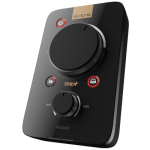
Sound Blaster E5 which also acts as a portable headphone amp, which makes your average iPhone sound better. But about double the price of the mixamp and seemingly no stock in the good old RSA.
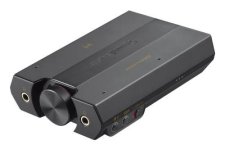
What do you guys use? Can you suggest another solution to getting game and voice volumes more manageable? I have seen some complicated setups with USB sound cards feeding back into the line in of the PC to the get USB sound back into the headsets. But the more connections you add the better chance of interference and hissing.
Sooo... Ideas?
My Steelseries Siberia V2 headset came with a little in-line volume control + sound card with a USB plug and a normal "green" audio plug. The USB sound card would be used for your microphone and the green audio would go directly into your PC's audio output.
If set up correctly, it would allow all voice chat to go through the USB card and all game audio to go through the usual green audio output. The in-line volume control has 2 volume dials, one for game, one for voice. This works perfectly for quickly setting up the correct volume during play, and not needing to fiddle with in-game volume settings or worse, going out of the game to fiddle with the Windows settings.
My Siberia headset is now no more. So I bought a HyperX Cloud (v1) and it sounds fantastic! However it does not allow me to mix game and chat audio separately. When using the Siberia in-line volume control I get a lot of hissing, no matter how I adjust the volume, levels and gain on the mic.
So I did some research on maybe getting a DAC or heaphone amp to get the best sound for gaming and music possible. Here is the problem: when using a DAC there often is no mic mixing available!
I found two possible options:
Astro Gaming Mixamp which has a dial adjusting voice and game balance. Works similarly to the Steelseries USB thingy.
Sound Blaster E5 which also acts as a portable headphone amp, which makes your average iPhone sound better. But about double the price of the mixamp and seemingly no stock in the good old RSA.
What do you guys use? Can you suggest another solution to getting game and voice volumes more manageable? I have seen some complicated setups with USB sound cards feeding back into the line in of the PC to the get USB sound back into the headsets. But the more connections you add the better chance of interference and hissing.
Sooo... Ideas?


