Speeding up a home network

essene75

New member
How does one get to run a 100MB/s network at 100MB/s? I don't seem to get anything close to that in copying from machine to machine. All the pc's are running Windows 7, one laptop is a 64bit version and wireless and my desktop PC is 32 bit and wired to the Netgear router.

I have crappy iBurst for internet now and that doesn't get over 1.5MB/s consistently, like ever, but Vumatel is coming to my corner soon, and I don't want that speed being curtailed if I have a poor setup, or inefficient network hardware.

Any ideas would assist.
 
If all PC's are wired via CAT5e cable (not wireless*) and if you have fast HDD's in both PC's then you will get faster speeds than current.

*Unless you have a Wireless N router and your Lappy as well. Then HDD's is the cause for the slower speeds.
 
How does one get to run a 100MB/s network at 100MB/s? I don't seem to get anything close to that in copying from machine to machine. All the pc's are running Windows 7, one laptop is a 64bit version and wireless and my desktop PC is 32 bit and wired to the Netgear router.

I have crappy iBurst for internet now and that doesn't get over 1.5MB/s consistently, like ever, but Vumatel is coming to my corner soon, and I don't want that speed being curtailed if I have a poor setup, or inefficient network hardware.

Any ideas would assist.

You can figure out your 100Mb/s network's maximum theoretical throughput in MB simply by dividing by 8. 100 / 8 = 12.5.

TCP/IP has ~ a 10% overhead, as does Ethernet, so realistically you'll only see about 80% of that at the high end. A little more basic math shows that 12.5 * .8 = 10. You should expect to be able to write at about 10MB/s over your 100Mb/s network.

bold part. that is freaking fast faster then 10meg adsl line.
 
How does one get to run a 100MB/s network at 100MB/s? I don't seem to get anything close to that in copying from machine to machine. All the pc's are running Windows 7, one laptop is a 64bit version and wireless and my desktop PC is 32 bit and wired to the Netgear router.

I have crappy iBurst for internet now and that doesn't get over 1.5MB/s consistently, like ever, but Vumatel is coming to my corner soon, and I don't want that speed being curtailed if I have a poor setup, or inefficient network hardware.

Any ideas would assist.

You can figure out your 100Mb/s network's maximum theoretical throughput in MB simply by dividing by 8. 100 / 8 = 12.5.

TCP/IP has ~ a 10% overhead, as does Ethernet, so realistically you'll only see about 80% of that at the high end. A little more basic math shows that 12.5 * .8 = 10. You should expect to be able to write at about 10MB/s over your 100Mb/s network.

bold part. that is freaking fast faster then 10meg adsl line.

You guys are using different terminology though. He said MB/s and you are talking about Mb/s. So he probably has a 1Gbps connection and is struggling to copy at 100MB/s from PC to PC. Unless he meant 100 Megabits per second though, and not 100 Megabytes per second.
[MENTION=11316]essene75[/MENTION] can you perhaps clarify which one you meant. It is difficult to discuss this otherwise.
 
Agreed with above. Also, if you're copying over wireless (regardless if 1 machine is connected to router, its still getting bottlenecked by wireless if you copying to/from laptop), then your speed might be 54Mbps, which would be even slower than a 10/100 connection, yet still quick enough for internet.

This is exactly why I opted for a gigabit ethernet router when the wifi on my Billion router conked out, coz I have 2 desktop pc's next to each other and copying large amounts of Steam data between them is now 10x faster :D
 
Hi guys,

I'm having the same issue with Windows 8. File copy speeds are sitting at around 700KB/s, max. That's bullshit. Lol.

If anything, a 100M ether cable will be the bottleneck BUT you should be able to at least get 12MB/s out of a 100M cable.

There's something inherently wrong with Windows' file copying. Been scouring forums for about an hour now but haven't found any solutions thus far. Will post some here if I can find anything.
 
Hi guys,

I'm having the same issue with Windows 8. File copy speeds are sitting at around 700KB/s, max. That's bullshit. Lol.

If anything, a 100M ether cable will be the bottleneck BUT you should be able to at least get 12MB/s out of a 100M cable.

There's something inherently wrong with Windows' file copying. Been scouring forums for about an hour now but haven't found any solutions thus far. Will post some here if I can find anything.

You can always use Teracopy instead :) I find its VERY useful when I'm copying multiple files or I'm wanting to copy various episodes of numerous series onto a flashdisk (instead of starting each episode, which are in various locations, on its own as windows will do, it queues them, as if you had selected them all at once to copy). Much quicker.
 
That makes sense. So the bottleneck is at the wireless side of things. I also may well have confused megabytes and megabits...Duh!

- - - - - - - - - - Double Post Merged - - - - - - - - - -

I use Teracopy and like it too. Still though, for the capacity of the hardware there does seem to be something wrong with the file copying capacity of Windows.
 
Hi guys,

I'm having the same issue with Windows 8. File copy speeds are sitting at around 700KB/s, max. That's bullshit. Lol.

If anything, a 100M ether cable will be the bottleneck BUT you should be able to at least get 12MB/s out of a 100M cable.

There's something inherently wrong with Windows' file copying. Been scouring forums for about an hour now but haven't found any solutions thus far. Will post some here if I can find anything.
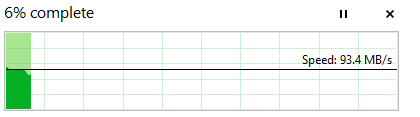
That's insanely slow over a network. Here's what I get with Windows 8.1 over my network:

s.png

s2.png
 
Last edited:
Sup Kwaai, are you using Gigabit Ethernet?

I know right, 700KB/s is absolute shite. I know there's alternative copy apps, but it really bothers me that it's so slow and I neeeeeeed to figure out what the problem is.

So you saying you getting 700KB/s on the local network between machines? Yeah somewhere there's serious issues. what are the odds one of your drives is faulty? try HDTune or some other kind of drive benchmark to check? :/
 
Sup Kwaai, are you using Gigabit Ethernet?

I know right, 700KB/s is absolute shite. I know there's alternative copy apps, but it really bothers me that it's so slow and I neeeeeeed to figure out what the problem is.

Yes I am :). What have you done to troubleshoot so far?
 
[MENTION=12607]mottamort[/MENTION] Hey dude, cool- thanks. Will check the drive benchmark tool out tomorrow and see if there's not maybe something wrong with the HD.
[MENTION=6722]Kwaai[/MENTION] Awesome :)

Well basically I've been trying some stuff that was mentioned as potential fixes.

Here's what I've tried:

- Turned of TCP Autotuning on the eth adapter. No result.
- Turned off Flow Control on the eth adapter. No result.
- Turned off IPv4 Checksum Offload. No result.
- Turned off IPv4 Large Send Offload. No result.
 
[MENTION=12607]mottamort[/MENTION] Hey dude, cool- thanks. Will check the drive benchmark tool out tomorrow and see if there's not maybe something wrong with the HD.
[MENTION=6722]Kwaai[/MENTION] Awesome :)

Well basically I've been trying some stuff that was mentioned as potential fixes.

Here's what I've tried:

- Turned of TCP Autotuning on the eth adapter. No result.
- Turned off Flow Control on the eth adapter. No result.
- Turned off IPv4 Checksum Offload. No result.
- Turned off IPv4 Large Send Offload. No result.

If it is the HDD failing maybe plug in an external drive/flash in that PC and try copying to that? Or a different HDD in that PC if you have one.
 
If it is the HDD failing maybe plug in an external drive/flash in that PC and try copying to that? Or a different HDD in that PC if you have one.

It's actually between two laptops (wired connections). I'll ask my colleague tomorrow if we can check his HD. And I'll just try copying something off of the other people's laptops. I highly doubt it's a PC/Laptop hardware issue though.
 
It's actually between two laptops (wired connections). I'll ask my colleague tomorrow if we can check his HD. And I'll just try copying something off of the other people's laptops. I highly doubt it's a PC/Laptop hardware issue though.
Hopefully it isn't a hardware issue, I'm interested to hear what happens in your testing tomorrow.
 
Thanks Kwaai. If I was to put up my figures of internet speed and file copy, I am sure I could bring a lot of grown men to tears...
 
Back
Top