
BeoTeK
New member
Beo - it will depend on what kind of reports you are thinking of doing
Specifically Backups.

Beo - it will depend on what kind of reports you are thinking of doing

Dee dee knows what it means!
 .
. 
Super Dee it is always a pleasure. There is one thing on that site that I hate tho . . . So might stay away.

Specifically Backups.

I dont like it using my real name on the siteI Do Indeed, Sleepy
What is it? I might be able to help.
It is something that irritates me silly. How do I change it. . . ?
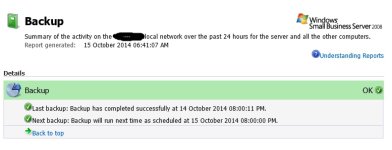
This is what gets emailed to me every day from SBS. I suppose you want something more? What about spiceworks? Not sure if thats bloatware or not. :/
View attachment 12855

Just found the coolest little YouTube trick. Simply put an SS in front of the YouTube URL and hit enter.
From there you'll be able to download the embedded video in your chosen quality.
eg.
View attachment 12857
Neat eh?


hahahaha so is that a serious answer or do you really not know?I Do Indeed, Sleepy
What is it? I might be able to help.

Just found the coolest little YouTube trick. Simply put an SS in front of the YouTube URL and hit enter.
From there you'll be able to download the embedded video in your chosen quality.
eg.
View attachment 12857
Neat eh?
Can you give us an illustration?
How this works is that savefrom.net have registered the domain www.ssyoutube.com
When you go to that domain with the video URL attached, the site is smart enough to pass the url directly to the download part. It's nifty but be aware that it is not a youtube feature.
Personally I use Freemake video converter. After you install the program just click on URL button and paste the URL of the video you want to download. Then click on the format you want to convert it to.
NB: Just take care when installing. IIRC, Freemake tries to trick you into installing some browser toolbar or other crap. Just be on the lookout for it and uncheck the box during installation. Apart from that it's a pretty easy and nifty video converter. You can also load a video and then just save the audio part as mp3 if you so wish.
Sorry, after all of today's banter, I'm finding it difficult to tell if that's sarcasm, or a genuine question.
- - - - - - - - - - Double Post Merged - - - - - - - - - -
Thanks for the info up top.
And that's why I try and avoid using thos kinda apps. I found this neat because it's not required to have that 3rd party crap in your browser and downloads straight to *.mp4

Thanks for the info up top.
And that's why I try and avoid using thos kinda apps. I found this neat because it's not required to have that 3rd party crap in your browser and downloads straight to *.mp4
You're fired!
Sorry Hagan, was not meant to be rude or obnoxious. Just genuinely wasn't sure.
I'll take some snippets...

nopeYou're fired!
I refuse...
nope
Insubordination; grounds for immediate dismissal.
I expect your sh*t to be packed up by the end of the day - pending investigation upon your dismissal.
by the way, where do i work
Nope
