Thread of PC Woes, Troubles, Problems, and Issues

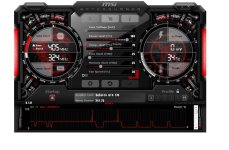
Capture.JPGright so my 770 is starting with it's nonsense again, kernel mode crashes no matter what I play.

fixes range from adjusting TDR (time out delay and recovery) to varying driver installations.

tdr is registry adjustment that needs to happen as outlined here

http://answers.microsoft.com/en-us/...-and-has/30570f98-7fe9-4b72-9d0b-e929ee8173c6

another thing I did is install only NVidia video drivers, none of the extra's

this kept things happy for about a month and a half then the crap started again.

i'm now on my last resort, dropping clocks and increasing volts a bit as I saw 2 power spikes when the driver crashes happened last night using MSI Afterburner


gonna see how things go
 
Just take care with cccp - it's effect is global. Eg I've had it mess up ingame vids. VLC doesn't affect anything else since the codecs are self-contained
 
Just take care with cccp - it's effect is global. Eg I've had it mess up ingame vids. VLC doesn't affect anything else since the codecs are self-contained

Strange that it would affect other applications, I have been using CCCP since it's inception and never ran into problems.
 
Strange that it would affect other applications, I have been using CCCP since it's inception and never ran into problems.

It's an old problem with installing codecs (some of them), installed codecs are run as drivers and populate the HKEY_LOCAL_MACHINE\SOFTWARE\Microsoft\Windows NT\CurrentVersion\Drivers32 registry entry. What VLC (and some others) does to overcome this is to start the codec manually and then terminates the process on exit. The Win XP way was to load the codec as a driver during startup and for it to remain idle in the background until needed.

What some games to when they need to display a video is to load the codec if the same/compatible codec is not already loaded and then uses it to decode the video.
 
Do any of you guys know where I can buy a Display Port 1.2 to HDMI converter?

I want to run 3 screens from my GPU, however the display ports on it are 1xDual Link DVI-I, 1xDual Link DVI-D, 1xHDMI, 1xDisplay Port.
All 3 screens that I want to run from it only have HDMI and VGA ports, so at the moment I use two screens, where one is connected via HDMI and one with a VGA cable and then a VGA to DVI convertor.

So according to me my only course of action would be to get the DP to HDMI convertor, and connect the third screen with HDMI. I've googled around, but it seems you can only use DVI-D if the screen also has a DVI-D port, since it is digital only.

Not related to this^ post: I've been using VLC for about 7 years now and I haven't had any problems. :)
 
We got some of these; http://www.takealot.com/moshi-mini-display-port-to-hdmi-adapter/PLID15200463

cover-zoom.jpg
 
View attachment 14130right so my 770 is starting with it's nonsense again, kernel mode crashes no matter what I play.

fixes range from adjusting TDR (time out delay and recovery) to varying driver installations.

tdr is registry adjustment that needs to happen as outlined here

http://answers.microsoft.com/en-us/...-and-has/30570f98-7fe9-4b72-9d0b-e929ee8173c6

another thing I did is install only NVidia video drivers, none of the extra's

this kept things happy for about a month and a half then the crap started again.

i'm now on my last resort, dropping clocks and increasing volts a bit as I saw 2 power spikes when the driver crashes happened last night using MSI Afterburner


gonna see how things go

and nada...

seems pny cards are just duds or my lucks just been shit with gpu's of late.

time to use it to death and then hope I can rma it once more
 
My predicament; which would be better, to have and use one 32" screen or two smaller screens (ie. 19" wide)?

What would the performance differences be if any?
 
My predicament; which would be better, to have and use one 32" screen or two smaller screens (ie. 19" wide)?

What would the performance differences be if any?

The 32" will probably be a higher resolution than 1080p (unless it is a TV and not a PC monitor? In which case it is 1080p) and the 19" ones are probably 1280x1024 (SXGA)?

If you're only gaming on one screen at a time, the performance difference is quite substantial. You can run new games at SXGA at full graphics with a much older, less powerful GPU than running the same games at full graphics at 1080p.

1080p is almost 60% more pixels to push than SXGA, so what GPU you have and what resolution you want to run games at is a big factor.
Also, dual screens are nice. I have 2 24" screens at home, and gaming on one while watching series on another, or browsing and watching series is so comfortable. I'd definitely go for the 2 screens, or use the 32" along with a 19"? Unfortunately that will look a bit weird :p
 
The 32" will probably be a higher resolution than 1080p (unless it is a TV and not a PC monitor? In which case it is 1080p) and the 19" ones are probably 1280x1024 (SXGA)?

Its very hard to find 32" TVs that are 1080p these days. They don't seem to make the panels anymore. I think JVC is the only ones I've seen recently that go any higher than 720p.

Anyways, 2 screens is nice if you have lots of windows open. It really helps isolate tasks, or as [MENTION=6280]Blazzok[/MENTION] mentioned, watching something on one screen while working on the other (which I'm doing right now :D)
 
[MENTION=6280]Blazzok[/MENTION] & [MENTION=9148]murfle[/MENTION]

Well I've been using the 32" HDR TV (HDMI) for some time now with my ATi HD5970. Pretty decent card and can handle most things at 1080p. Now I have connect the other screen (DVI & VGA) which seems to run at 1440x900 as a second screen. I use it more as a reference, like having a website open while playing games like H1Z1, or walkthroughs while playing fullscreen on the big screen.

Now I could always use the 32" on the PS3 in another room in the house and for my son. The concern mainly for me is, viewability on such a small screen. I'm not sure if I can go back. And I understand there are benefits on playing with 3 screens, but I never thought about using two and what games/purpose?
 
[MENTION=6280]Blazzok[/MENTION] & [MENTION=9148]murfle[/MENTION]

Well I've been using the 32" HDR TV (HDMI) for some time now with my ATi HD5970. Pretty decent card and can handle most things at 1080p. Now I have connect the other screen (DVI & VGA) which seems to run at 1440x900 as a second screen. I use it more as a reference, like having a website open while playing games like H1Z1, or walkthroughs while playing fullscreen on the big screen.

Now I could always use the 32" on the PS3 in another room in the house and for my son. The concern mainly for me is, viewability on such a small screen. I'm not sure if I can go back. And I understand there are benefits on playing with 3 screens, but I never thought about using two and what games/purpose?

Is it a 19" wide screen (resolution leads me to believe yes)? But yeah, that is exactly how I use my two screens (among other things). Going from a big screen back to a small one would be tricky I suppose, but it depends how close you're going to sit to them I suppose. I'm about 0.5m (max) away from my screens which is just fine for me.

Using two screens, you won't game across both at the same time. You'd play games on the one, and the other you would use to watch a series/movie, have a browser page open, or anything else you want. The only game I came across that actually used two screens well was Supreme Commander. You could have the map open on one screen and play the game on the other.
But in terms of two screens, you won't take a performance hit as you would play at 1080p, the second screen would use little enough GPU to not matter.
 
[MENTION=4071]BeoTeK[/MENTION] so I take it you already have both screens hooked up and running. Does your 19" rotate? it might be better suited rotated 90 degrees, so it runs 900x1440.

Going from a big screen back to a small one would be tricky I suppose, but it depends how close you're going to sit to them I suppose. I'm about 0.5m (max) away from my screens which is just fine for me.

I've gone from a 24" down to a 23" without any problem. Anything less and I go nuts. I can manage on my 17" screen on my laptop since it is a laptop, but I have to get really close. My eyes aren't getting any better...

The only game I came across that actually used two screens well was Supreme Commander. You could have the map open on one screen and play the game on the other.

Wow, I'm gonna have to try that out!
 
Thanks for feedback [MENTION=9148]murfle[/MENTION] and [MENTION=6280]Blazzok[/MENTION]

Appreciated
/tips hat
 
Back
Top