Thread of PC Woes, Troubles, Problems, and Issues

UPDATE!

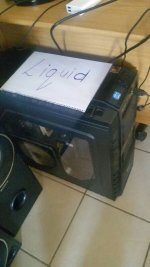
So it would seem that it is most probably a heating problem putting my machine to sleep. I have noticed that it only does it on the hotter days. Been monitoring my system on the G13 via Afterburner and while playing Ark (or most other games as well) my GPU will run between 85 and 90 degrees and the CPU between 75 and 80...

So I'm getting this today
ncl-102-0-311x311.jpg


and think I should invest in one of these as well
pcl_201-0-311x311.jpg


I have one of these for my CPU, just need to get some thermal paste to mount it
CNPS9700%20LED_04_b(0).jpg


hoping this will take care of my heating problem once and for all
 
While you're at it just get a better intercooler and swap out your air filter, don't forget to throw in some anti-freeze though.
 
Yay, I was right, 3 pages back!

Those temps are high, but not too high. You can set your BIOS to only turn off at higher temps. and then game for a bit longer :) But ideally, get those fans in there.
 
yeah, it probably mucks with the airflow.

that's my theory

it's right next to the gpu. so the gpu fan is blowing on the card and the vizo is trying to suck out hot air, thus creating a void so there is effectively no airflow around the gpu at all.

will move it tonight and test again
 
I'm having an issue with Excel where it doesn't seem to be updating the formula. Upon normal use by manually entering codes (data) into cells the formula works 100%.

Here's the catch; because of the amount of codes we have to type in, we tried to simplify the process by creating a program to insert it into the cell (column). Obviously the file has to be closed while it writes to file. Now upon opening the file the formula doesn't apply/refresh.

It's just a simple formula of =EXACT(A1,B2) which outputs TRUE or FALSE.


Any ideas?
 
I'm having an issue with Excel where it doesn't seem to be updating the formula. Upon normal use by manually entering codes (data) into cells the formula works 100%.

Here's the catch; because of the amount of codes we have to type in, we tried to simplify the process by creating a program to insert it into the cell (column). Obviously the file has to be closed while it writes to file. Now upon opening the file the formula doesn't apply/refresh.

It's just a simple formula of =EXACT(A1,B2) which outputs TRUE or FALSE.


Any ideas?

Trace...
 
In Excel, select the cell with the formula, then go to "Formulas" in the ribbon and do some/all of the below until you find the issue :

- Trace Precedents
- Trace Dependents
- Error Checking
- Evaluate formula

:-)

There's nothing wrong with the formula, that's the thing.

A1=100,B1=100,C1=FALSE (formula=EXACT(A1,B1))

Despite the cells A1 & B1 being the same, the formula isn't updating to TRUE - only when I manually type the number in either cell does it update, or when I click top to edit the formula and press enter.


I have a suspicion this is because the data is being inserted (while file closed), and Excel isn't a change happening to the cells since last save.
 
Back
Top