
You are using an out of date browser. It may not display this or other websites correctly.
You should upgrade or use an alternative browser.
You should upgrade or use an alternative browser.
What mouse do you use?
- Thread starter Pooky
- Start date


Mister 44
New member
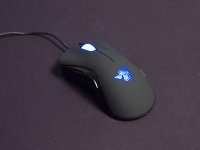
At home I have a Razer Spectre Starcraft II limited edition that I won here:

Pros:
- Pretty lights that are customizable.
- Button click resistance switch.
- Accurate and responsive
Cons:
Not as comfy as some others
Mouse wheel feels not as sturdy as the rest of the mouse
Verdict: Good gaming mouse. Maybe nt enough buttons for some, but the lights are really pretty, so that's ok.
******
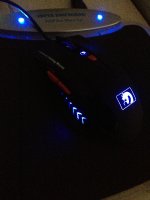
At work I have a Steelseries Kinzu v1

Pros:
- Comfortable
- Very well built. This mouse may survive the apocalypse.
Cons:
- Optical, not laser.
- No thumb buttons.
Verdict: Good office mouse, but not ideal for gaming.
Pros:
- Pretty lights that are customizable.
- Button click resistance switch.
- Accurate and responsive
Cons:
Not as comfy as some others
Mouse wheel feels not as sturdy as the rest of the mouse
Verdict: Good gaming mouse. Maybe nt enough buttons for some, but the lights are really pretty, so that's ok.
******
At work I have a Steelseries Kinzu v1
Pros:
- Comfortable
- Very well built. This mouse may survive the apocalypse.
Cons:
- Optical, not laser.
- No thumb buttons.
Verdict: Good office mouse, but not ideal for gaming.






MetalSoup
There's a GIF for that
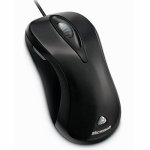
Still using the Microsoft Laser Mouse 6000 that I got for my 21st. More than 5 years and it's still going strong, one missing feature that would be nice to have is a DPI changer but aside from that it does the job.
View attachment 6007
haha, I still use this one for work! It's not in quite such a good condition, but still works really well.

FarligOpptreden
New member
haha, I still use this one for work! It's not in quite such a good condition, but still works really well.
Used to have one as well, but the wire gave in after the constant travel with my laptop...

HavocXphere
New member
Razer Naga because the shape suits me. The buttons on the side are a bit of a pain though...causes switches to pistol at inopportune times in MP games.


Wlad
New member
I've got a MS Sidewinder X8 at the moment:
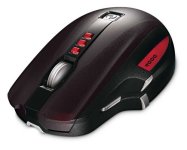
Pros:
Very responsive for a wireless mouse
Can also use the charger to make it wired if you want
On-the-fly dpi settings
BlueTrack works on pretty much any surface
Macro's (if that's what you want in a mouse, personally I've never used it)
Cons:
Can't really think of any, except the charger giving me problems sometimes (the mouse switches off sometimes when I'm playing while charging it, which can frustrate the hell out of me as it stops working in-game)
I've had this mouse for a few years now and I've loved using it, but I am currently looking at maybe buying a new one, since this one is starting to give me problems. One of the thumb buttons don't work anymore and I have to press the scroll wheel really hard before it clicks. I don't think they sell these anymore so I am still undecided as to what I'm gonna (evenually) replace it with, but I like the look of the Steelseries Sensei.
Pros:
Very responsive for a wireless mouse
Can also use the charger to make it wired if you want
On-the-fly dpi settings
BlueTrack works on pretty much any surface
Macro's (if that's what you want in a mouse, personally I've never used it)
Cons:
Can't really think of any, except the charger giving me problems sometimes (the mouse switches off sometimes when I'm playing while charging it, which can frustrate the hell out of me as it stops working in-game)
I've had this mouse for a few years now and I've loved using it, but I am currently looking at maybe buying a new one, since this one is starting to give me problems. One of the thumb buttons don't work anymore and I have to press the scroll wheel really hard before it clicks. I don't think they sell these anymore so I am still undecided as to what I'm gonna (evenually) replace it with, but I like the look of the Steelseries Sensei.
FarligOpptreden
New member
Razer Naga because the shape suits me. The buttons on the side are a bit of a pain though...causes switches to pistol at inopportune times in MP games.
Molten for me at the moment.
 80% of my gaming is GW2, in which it excels. It also looks good at work and it's a nice topic of conversation at the odd software demo and client meeting...
DuckKnuckle
New member
I'm using the SteelSeries Sensei MLG Edition.
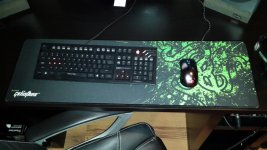
High sensitivity, great sensor, and fits my claw/palm hybrid grip well.
High sensitivity, great sensor, and fits my claw/palm hybrid grip well.

Lycanthrope
New member
Gigabyte M8000X Ghost:
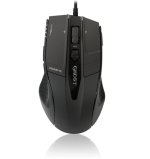
Pros:
Very comfortable for right-hand use.
Great sensitivity.
Adjustable weights.
Laser sensor.
It's sexy.
Also, affordable.
Cons:
None yet, but the fact that it's not an ambidextrous mouse might put some folks off.
Pros:
Very comfortable for right-hand use.
Great sensitivity.
Adjustable weights.
Laser sensor.
It's sexy.
Also, affordable.
Cons:
None yet, but the fact that it's not an ambidextrous mouse might put some folks off.

Wenzdayz
Thread Killer Mk III
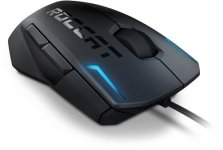
Hahaha i use it simply cause it is so customizable and it fits my reasonably sized female hands quite well.I use the R.A.T.7, because it is massive and it has a pinky rest

bradbear117
New member

Logitech G400 - my precious
Pro's
- comfortable and chunky
- good weight
- well place programmable thumb buttons/ on the fly dpi
- price
Cons
- its wired. don't really care though to be honest.

Wyvern
Khaleesi
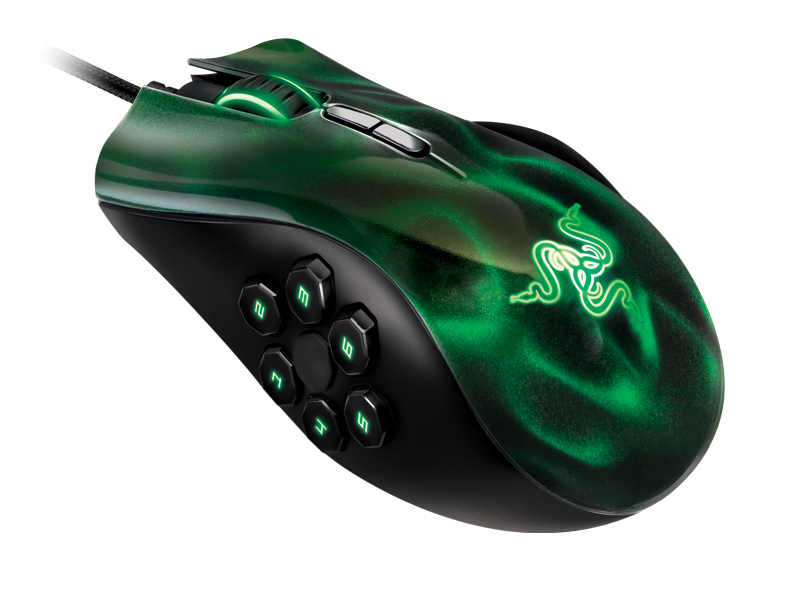
I recently got the Naga Hex - Love the mouse
Pros:
Very comfortable for right-hand use.
Great sensitivity.
It's sexy.
And I love the extra buttons, the normal naga has too many buttons but this one just has the six and for me its perfect. I also have an issue with my right hand - I had it injured in an accident when I was younger and because of it my thumb is a bit shorter and I cannot bend my index and ring fingers normally so I have to choose mice that are easy to use for me andI can reach all my buttons except the two extra buttons on the mouse below the scroll wheel.
The only con I have is the fact that I cannot get my hex too connect too the razer cloud sync where I can access its extra features. So once that is sorted (hopefully Razer can help me fix it).
Cons:
None yet, but the fact that it's not an ambidextrous mouse might put some folks off.

DCWarhound
Dakka Dakka
Roccat Kone XTD

Pro's:
Straight upgrade from my R.A.T7.
Very comfortable grip
Customizable colors
Can adjust DPI on the fly
Plays audio clips when you make changes to the mouse (it will for example tell you what DPI you are at when you change it)
Can adjust the height at which the mouse tracks movement (i use the lowest possible)
Lots of profiles
Has double the macro capacity thanks to it's shift+ function
Minor macro's
Feels solid
Cons:
Color can sometimes be inconsistent.
No mouse movement macro's despite on-board memory and processor.
Weights are hard to change
Changes to mouse setting take a while to set it and may hang the computer most of the time
Have to download drivers (no drivers included in box)
Shift+ is hard to press with a claw grip.
Pro's:
Straight upgrade from my R.A.T7.
Very comfortable grip
Customizable colors
Can adjust DPI on the fly
Plays audio clips when you make changes to the mouse (it will for example tell you what DPI you are at when you change it)
Can adjust the height at which the mouse tracks movement (i use the lowest possible)
Lots of profiles
Has double the macro capacity thanks to it's shift+ function
Minor macro's
Feels solid
Cons:
Color can sometimes be inconsistent.
No mouse movement macro's despite on-board memory and processor.
Weights are hard to change
Changes to mouse setting take a while to set it and may hang the computer most of the time
Have to download drivers (no drivers included in box)
Shift+ is hard to press with a claw grip.

TBlaar
New member
Logitech G400 - my precious
Pro's
- comfortable and chunky
- good weight
- well place programmable thumb buttons/ on the fly dpi
- price
Cons
- its wired. don't really care though to be honest.
I got the same one... AWESOME mouse....