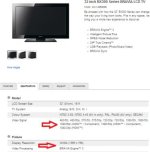
Where does it say Full HD? Looks like you may be confusing supported input resolutions with output resolution. It could support a 4K input signal and still output 720p.
When buying a TV you must also look if it says HD Ready or Full HD. HD Ready TVs are usually 720p whereas a Full HD TV will provide a 1080p picture through and through.
This is the answer

My opinion on InSanity's TV conundrum:
As some have mentioned, refresh rate, response time, and pixel density are all important considerations.
I reckon 32-inch is a good size for using a TV as a monitor, in terms of pixel density. Larger panels mean you need to sit further away. It kind of negates any benefit of having larger real-estate in desktop usage scenarios. I know this from experience - hooked up my 46-inch for a while and while it looked great, I had to sit on the other side of the living room and after a while my eyes were bleeding. It also became difficult to do regular desktop stuff; browsing, writing, etc.
You'll really want to make sure you have as low a response time as possible, and at least a 60Hz refresh rate. Backlighting type will also be important, as well as contrast ratio.
A few things I haven't seen mentioned: image processing and possible sound output lag.
Firstly, note that most TVs come with some sort of image processor built-in. You must try choose a TV with advanced software UI that enables to disable (or mostly disable) the TVs image processing. Your GPU will be doing this work and having your TV as an extra layer of image processing will result in a sluggish input lag feeling.
Secondly, due to image processing lag, the picture on screen might be behind your sound output. This happens if you use the HDMI output on your GPU to the TV, but use a different sound source, such as a discrete sound card, or the analog sound outputs on your motherboard. Modern GPUs pass-through the audio signal along with the video signal, so if you run your audio over the HDMI as well, you won't have this lag. This is also from experience. The sound lag isn't too noticeable in games (depending on what you are playing), but it becomes immensely irritating when watching TV shows and movies when the lip don't sync to the audio.
Gotta dash, hope this helps!