Pastel v6 help needed

Wyvern

Khaleesi
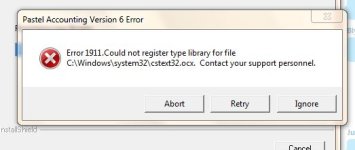
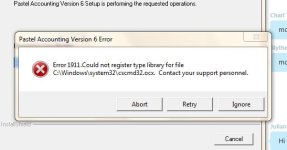
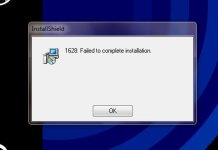
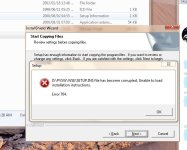
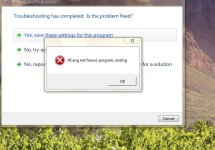
I have just gotten a new pc at work, used to run windows xp and installing pastel was never an issue. Now I have windows 7 and I get a bunch of errors which I will post screenies of. There is one error something about it being 16bit that I cannot capture - it appears and disappears too fast.
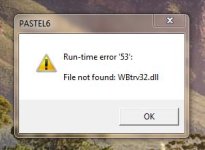
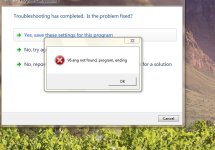
Capture1.JPG
Capture2.JPG
Capture3.JPG
Capture4.JPG
Capture5.JPG
 
Last edited:
I always do a fresh install, copy paste wont work with pastel since you need pervasive server or what ever its called.
 
Ok, was just checking to be sure... I've never tried a copy/paste either. The only time I ever touch the software is when the finance lady calls me in a panic. "Relax, its just a software update", I say, biting my fingernails hoping nothing goes wrong. That, or if she needs her default printers changed.

Anyways, obvious question. Are you installing with admin privileges? Is v6 the latest version?
 
See that is the issue, the boss doesnt want to upgrade to a new version - we are on a unsupported version it is that old. (ok I lie, its VERY old)

And yes I am administrator on this pc, If I install it I get the runtime error when running in compatibility mode.
 
I've done lots of programming on Pervasive and that first dll is a Btrieve dll which is used with Pervasive.

However, to me it also looks like administrator mode may be the problem. Did you right click on the install file, and in compatibility mode say "Run as administrator"?
 
I've done lots of programming on Pervasive and that first dll is a Btrieve dll which is used with Pervasive.

However, to me it also looks like administrator mode may be the problem. Did you right click on the install file, and in compatibility mode say "Run as administrator"?

Ok [MENTION=20]Solitude[/MENTION] - I tried that. . . . I got a brand new error!

Capture6.JPG
 
If run as admin doesn't work, and upgrading isn't an option, tell them you're putting XP back on ;)
 
on the start menu in the search bar just type uac (it stands for user access control)

once u open the link it gives on the start menu just move the slider to the bottom. it works on some apps to disable that, and uac is just friggin annoying with its popups
 
Soli, that is what I am starting to think, I might see if I can get a new disk or download from pastel directly.
 
Soli, that is what I am starting to think, I might see if I can get a new disk or download from pastel directly.

Otherwise, and this may be a pain is to create a virtual XP machine on your machine and install it on there. But that's probably a bit extreme.
 
Ok just spoke to pastel - they burst out laughing at me :S

I apparently need to go back to windows xp. It wont run in 7.

Now I have a query, if I just put my old hardrive into the new pc, can I just select the drive to boot from for the half a day that I need to do the work on pastel? And then swop back to win7?
 
Ok just spoke to pastel - they burst out laughing at me :S

I apparently need to go back to windows xp. It wont run in 7.

Now I have a query, if I just put my old hardrive into the new pc, can I just select the drive to boot from for the half a day that I need to do the work on pastel? And then swop back to win7?

It depends on the drivers and things. In theory in may be possible.

It's not nice that they laughed at you though. :(
 
You should be able to set up dual boot with both drives in. That being said, if you boot into your old XP, do it in safe mode, go into the device manager and delete everything. Reboot, and install the drivers for the new machine. You may (read: probably) need to re-activate XP depending on your license.

Not the easiest thing, but not overly complicated either. Just make sure you have backups.
 
It depends on the drivers and things. In theory in may be possible.

It's not nice that they laughed at you though. :(

You should be able to set up dual boot with both drives in. That being said, if you boot into your old XP, do it in safe mode, go into the device manager and delete everything. Reboot, and install the drivers for the new machine. You may (read: probably) need to re-activate XP depending on your license.

Not the easiest thing, but not overly complicated either. Just make sure you have backups.
Thanks for all the help guys.

Murfle - I will get Nimatek to do that :P Otherwise I might just get the boss to finally upgrade to pastel express. But yes I hate phoning pastel support they are nasty nasty people.
 
Back
Top