SA Community Game Dev - For learners too

I'm itching to get into something like this, but very noob atm, working through a Blender video course by CG Cookie.

This is how far I am so far, still need to learn texturing and animation.

So I wont be able to assist much with modeling yet, but I am learning and would like to help where I can, might be a nice learning experience.

Where I am currently at, very impressed with blender, esp with it being a free product.

2dqvwpf.jpg
 
Just checked the UE4 website. It $20 pm + 5% of sales. Am i missing something here?
Yes you pay per month if you want new enhancements that they are implementing. For example, to do ui in v.4.1 you had to do a draw screen. Now they have u widget which is a lot easier to do.

In essence you pay and keep the version you have. You can choose not to pay till you feel happy with the latest version then pay the $20.
 
Just checked the UE4 website. It $20 pm + 5% of sales. Am i missing something here?

Yeah, you can also unsubscribe at any time and keep using the last version you got without updates, though you're not allowed to release anything with it then.
 
The more gfx okes the better. It's a learning project anyway.
That's something we have to let everyone know. It's for everyone doesn't matter your skill level. Guys im thinking about having the meeting next week Tuesday at 8 . Any objections?
 
Ok we will have to keep that in mind. $20 up front might deter some people. I'm investigating the possibility of using c# with UE.

Blueprint is nice but it's not something you want to teach new programmers.
 
That's something we have to let everyone know. It's for everyone doesn't matter your skill level. Guys im thinking about having the meeting next week Tuesday at 8 . Any objections?

I'm happy with that.

I don't mind either Unity or UE, I have 2 courses for unity which is the only thing pulling me that way, but the blueprint system looks very cool also.
 
So far I have only received PM's from the following people:-
foozball3000
Stunt

Please everyone that wants to get involved Email me please, otherwise you will not get the TS details.
 
Yeah sorry okes, i won't be able to make it. I'm generally unavailable between 8 and 10 in the evenings. Minutes of the meeting would be nice though :p
 
Yeah sorry okes, i won't be able to make it. I'm generally unavailable between 8 and 10 in the evenings. Minutes of the meeting would be nice though [emoji14]
Cool no problem, purely understand. Well a recording of the ts will be made available the day after the meeting.

Sorry I didn't mail everyone Esko hit us last night.


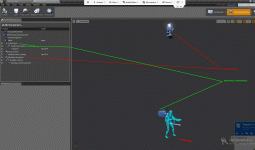
On a side note, installed unity last night. Have a few questions though. In UE4 you are able to change the camera position(first person, third person) to whatever you want with minimal blue printing required, however in unity it seemed as if the the camera is designed per character pawn(I.e. There was a character mesh for first person, then 3rd person)? Can someone clear this up for me.does it mean in unity a user will have to destroy the pawn character then spawn the different one if your going to give the ability to switch between the two.

Will add pictures
UE4:-
Character.gif
The Camera's are parented to a spring arm, with the sprin arm, it has a variable that is editable which acts as a length of the arm. So if the length increases the camera moves back, if it hits 0 then it is in the first person camera position.

How is it in unity?
 
Last edited:
Cool no problem, purely understand. Well a recording of the ts will be made available the day after the meeting.

Sorry I didn't mail everyone Esko hit us last night.


On a side note, installed unity last night. Have a few questions though. In UE4 you are able to change the camera position(first person, third person) to whatever you want with minimal blue printing required, however in unity it seemed as if the the camera is designed per character pawn(I.e. There was a character mesh for first person, then 3rd person)? Can someone clear this up for me.does it mean in unity a user will have to destroy the pawn character then spawn the different one if your going to give the ability to switch between the two.

Will add pictures

You'll probably have two cameras, one per perspective. (Just guessing). I'm tinkering with a fighting game, so I don't read up much about camera controls. But when I'm done with this 3D Model and I switch to coding again, I'll see what I can find out for you.
 
You'll probably have two cameras, one per perspective. (Just guessing). I'm tinkering with a fighting game, so I don't read up much about camera controls. But when I'm done with this 3D Model and I switch to coding again, I'll see what I can find out for you.

Aye this. Create a 2nd cam, make it a child of the player and then use a script to switch between the 2. example

Code:
var cam01 : GameObject; // first person camera
var cam02 : GameObject; // third person camera
var player01 : GameObject; //first person controller
var player02 : GameObject; //third person controller
var check; // New check-variable

//start with first person active
function Start() {
    cam01.gameObject.active = true;
    cam02.gameObject.active = false;
    player02.GetComponent(CharacterController).active = false;
    check = true;
}

function Update() {
    if (Input.GetKeyDown ("return")) {
        if(check) {
            cam01.gameObject.active = false;
            cam02.gameObject.active = true;
            player01.GetComponent(CharacterController).active = false;
            player02.GetComponent(CharacterController).active = true;
        }else{
            cam01.gameObject.active = true;
            cam02.gameObject.active = false;
            player01.GetComponent(CharacterController).active = true;
            player02.GetComponent(CharacterController).active = falsee;
        }
        check = !check;
    }
}
 
Back
Top