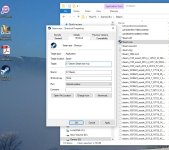
Steam Application

Did that. No change.

/throws Steam in bin

Sigh okay now try this.

Start > All Programs > Accessories and right click on "Command Prompt", select "Run as Administrator" to open a command prompt. In the command prompt window that opens, type type the following commands, each followed by the Enter key:

Reset WINSOCK entries to installation defaults: netsh winsock reset catalog
Reset IPv4 TCP/IP stack to installation defaults. netsh int ipv4 reset reset.log
Reset IPv6 TCP/IP stack to installation defaults. netsh int ipv6 reset reset.log

Reboot the machine.

http://www.velocitymicro.com/SupportArticles/Article_959.php
 
This is a shot in the dark.

https://support.steampowered.com/kb_article.php?ref=3134-TIAL-4638

Windows XP/Vista/7/8
Completely exit the Steam client.
Open the run dialogue by pressing windows key + r (you can also navigate here from the start menu by typing run).
Type steam://flushconfig then press enter. (If asked to allow this website to open a program, please click Allow or OK).
Restart your computer.
Now, launch Steam directly from the installation folder, not from a pre-existing shortcut (~C:\program files (x86)\Steam).
The Steam application will either appear as Steam or Steam.exe depending on whether your settings show file extensions.
 
Sigh okay now try this.

Start > All Programs > Accessories and right click on "Command Prompt", select "Run as Administrator" to open a command prompt. In the command prompt window that opens, type type the following commands, each followed by the Enter key:

Reset WINSOCK entries to installation defaults: netsh winsock reset catalog
Reset IPv4 TCP/IP stack to installation defaults. netsh int ipv4 reset reset.log
Reset IPv6 TCP/IP stack to installation defaults. netsh int ipv6 reset reset.log

Reboot the machine.

http://www.velocitymicro.com/SupportArticles/Article_959.php

Thanks!!!!!

That worked.

- - - - - - - - - - Double Post Merged - - - - - - - - - -

Thanks everyone for your input.

I am in.
 
Yeah my Steam also did not connect initially when I got home (17h30-ish) and I checked issteamdown.com and it showed that the store was down.

However round about 19h00 or so I could connect just fine. I was not aware of the routine weekly maintenance though :3
 
Back
Top