Thread of PC Woes, Troubles, Problems, and Issues

Best headset I've owned. Unfortunately they price around R1300. I find them very comfortable during long gaming sessions with excellent sound quality.


Might have to wait a bit longer to make that budget. A thousand is already pushing it.


You want with built in microphone or do you not care?

Wife got me a pair of Skullcandy headphones that I'm using on the PC, Tablet and Laptop for when I game, as to not offend her sensitive ears with expressions of "Die Motherf*cker" followed by gratuitous gunfire coming from the speakers.

So far I'm relatively happy with them in that it drowns out the "What the hell are you playing?" questions coming from her when I'm jamming something like Saints Row; I also can't hear the "You're going to go deaf" when I'm playing Dirt or Grid. I also can't hear her say "Hey, I'm busy talking to you" when I'm playing Skyrim.

I think this is the one she got me :

http://www.takealot.com/skullcandy-uproar-headphones-black-grey/PLID38571684

Microphone would be lekker, currently just using headphones but not being able to speak to my maats is becoming an issue. Feels like something is missing :p
 
Right, picked up an issue with my PC this weekend. When using the x16 slot, the system would suffer from random stutters and popping sound. In some games where I usually get 80-90fps, it would drop down to ~7fps and the GPU core usage will shoot up to 100%. I've moved the GPU to the x4 slot and so far it seems stable. I suspect the PCIE slot/mobo is busted but maybe it's actually the GPU?
 
Right, picked up an issue with my PC this weekend. When using the x16 slot, the system would suffer from random stutters and popping sound. In some games where I usually get 80-90fps, it would drop down to ~7fps and the GPU core usage will shoot up to 100%. I've moved the GPU to the x4 slot and so far it seems stable. I suspect the PCIE slot/mobo is busted but maybe it's actually the GPU?

What is your PC specs? Specifically CPU, GPU, Motherboard and RAM? I have a suspicion, but just wand to research it for you quickly.
 
Are you running BIOS 1.B on that Mobo?

Also, can you confirm that the PCIe x16 reports as PCIe 3.0 and not 2.0 (x8) when you have that card in the 16x slot.

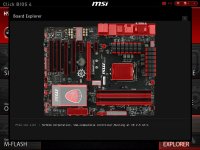
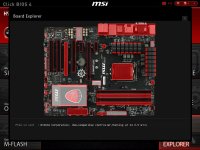
Aye updated the bios this weekend in an attempt to fix the PCIe issue. I remember board explorer in the BIOS showing it as x16 @ 2.5GT/s. Can't remember if it was 3.0 though. Will have to check tonight.
 
Aye updated the bios this weekend in an attempt to fix the PCIe issue. I remember board explorer in the BIOS showing it as x16 @ 2.5GT/s. Can't remember if it was 3.0 though. Will have to check tonight.

FYI :

For single-lane (×1) and 16-lane (×16) links, in each direction:

v1.x (2.5 GT/s): 250 MB/s (×1) 4 GB/s (×16)
v2.x (5 GT/s): 500 MB/s (×1) 8 GB/s (×16)
v3.x (8 GT/s): 985 MB/s (×1) 15.75 GB/s (×16)
v4.0 (16 GT/s): 1969 MB/s (×1) 31.51 GB/s (×16)
 
FYI :

For single-lane (×1) and 16-lane (×16) links, in each direction:

v1.x (2.5 GT/s): 250 MB/s (×1) 4 GB/s (×16)
v2.x (5 GT/s): 500 MB/s (×1) 8 GB/s (×16)
v3.x (8 GT/s): 985 MB/s (×1) 15.75 GB/s (×16)
v4.0 (16 GT/s): 1969 MB/s (×1) 31.51 GB/s (×16)

That's something that bugged me yesterday. Both slots show as 2.5 GT/s
 
Back
Top