



Building a gaming PC is much easier now then it used to be, all the components simply slot onto the motherboard and parts can be easily swapped out with minimal effort.
However, whether through incompetence or sheer bad luck, things can still not go exactly as planned.
In some cases, this can result in thousands of rands worth of damages.
Check out some of the ways in which in building a gaming PC can go horribly wrong:
Liquid Cooling
High-end gamers and hardware enthusiasts have the option to create custom liquid-cooling loops for their systems in order to provide better cooling for their entire build.
This also allows gamers to personalise their rigs with coloured cooling fluid and unique radiator designs.
Custom liquid-cooling loops involve a lot of careful design and assembly and should not be attempted by beginners without prior research or a helping hand.
Improperly connected tubes or defective pumps can result in expensive problems, including component overheating and leakages.

Thermal Paste Mistakes
This problem is a lot more common than you might think, as there are a few PC builders who do not understand the basics of component installation.
The internet is full of stories of gamers who forget to apply thermal paste to their CPU before putting on the heatsink, or don’t remove the plastic contact covering, resulting in severe temperature issues.
While most modern CPUs have safeguards against overheating, high operating temperatures can drastically shorten the lifespan of a processor or even burn out older chips.

Bad Shipping
Sometimes hardware damage is not the result of installation, but poor delivery.
It is important to make sure that your components are delivered safely and that they are covered by insurance or guarantee.
Nothing is worse than dropping R10,000 on a brand-new GeForce GTX 1070 and receiving a broken, uninsured graphics card.

Broken Pins
This can either be a result of poor hardware knowledge or simply a costly mistake.
Installing a CPU is possibly the most nerve-wracking part of building a gaming PC, especially if you’ve heard horror stories about builders killing motherboards by bending and breaking socket pins.
The processor connects to the socket via a large number of fragile pins located in the socket, which can easily become bent or broken.
There is a small chance of recovery if a pin or two become slightly bent, but broken pins usually mean a dead motherboard.

DIY Over-Confidence
If you’re not familiar with the story of how a Linus Tech Tips forum user killed his GeForce GTX 980 Ti graphics card, here’s a brief summary.
The user had purchased a Zotac GeForce GTX 980 Ti and wanted to replace the card’s stock cooler with a custom water cooler.
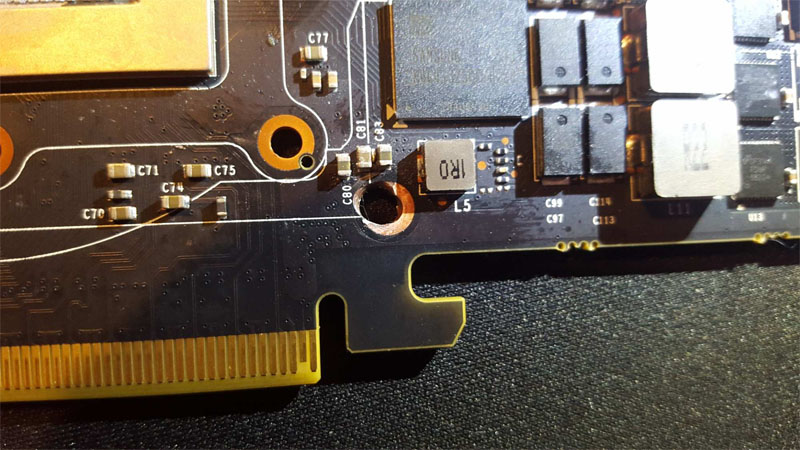
However, when attempting to align the cooler with the GeForce GTX 980 Ti PCB, he found that one hole did not properly line up.
Reasoning that this must be a design flaw of some kind, the user then drilled a hole through the circuit board in order to mount the cooler firmly, however upon doing so he noticed that the card would not function.
Other users kindly pointed out that he had failed to read the instructions supplied with the cooler and was attempting to mount it incorrectly. They also pointed out that the DIY enthusiast had drilled through the graphics card’s circuits and probably killed the device.
This prompted the user to snap the graphics card in half in a fit of rage, realising later that he may have been able to get it repaired if he had not done so.
The moral of this story is to use common sense when dealing with expensive components, and read the instruction manual.

More gaming news
Nvidia Titan X Pascal SLI takes 4K gaming to the next level






 Loading ...

what kind of an idiot spends R10 000 on a gtx 1070