Windows 10 discussion thread

Are you planning to upgrade to Windows 10?

  • Nope. Not a Windows user.

    Votes: 0 0.0%

  • Total voters
    66
Still nothing for me :(
Same. Although I'm not too phased as I'm at the Salticrax stage of my monthly bandwidth so would be okay if MS hold off on pushing it down to me for a day or two :)

Can I ask those that do upgrade to let us know how it goes please? What devices did you upgrade? What version (7/8/8.1) did you go from? Importantly, any driver/peripheral/programme and game compatibility issues, etc? And what are your initial thoughts on Win10 in general?
 
Scratch my "still nothing". Found the C:\$windows.~BT folder on my laptop. Somewhat obviously I needed to Show Hidden files. At 5GB it probably also explains my bandwidth issues.

I'm not on the MS Preview program, so I guess I just wait for the upgrade servers to pull my machine out of the hat now?
 
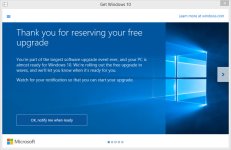
I have the C:\$Windows.~BT directory as well, but I'm still waiting to install. When I click the "Get Windows 10" notification tray icon, I get this:

Windows 10 - PC being validated.jpg

There is apparently a command line trick you can do to get the update to trigger, but I'm not quite there yet. A few more minute before I break out the hammer.
 
I have the C:\$Windows.~BT directory as well, but I'm still waiting to install. When I click the "Get Windows 10" notification tray icon, I get this:

View attachment 16977

There is apparently a command line trick you can do to get the update to trigger, but I'm not quite there yet. A few more minute before I break out the hammer.

Yeah same for me :(
 
I keep clicking "Check for updates" :p

Gonna try every hour, but it should happen automatically anyway. Just want to to start downloading already!
 
Nothing on my work laptop yet. See the ISOs are available on my MSDN subscription though. Will hang back with the work and gaming PC by a week or two till the day1 guinea pigs have given it the +1.
 
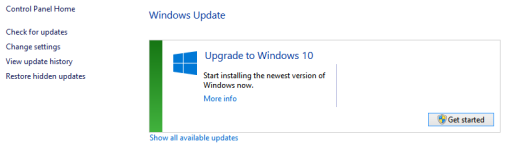
Just run "Check for Updates" and now see this:
Capture.PNG
About to hit the Get Started button. Let's see what happens....
 
While I'm waiting, maybe one of the IT/Windows gurus can answer a question for me?

I have Win 8.1 single language OEM (with the disk and code) that's presently installed on my gaming rig. I also have a oldish Lenovo laptop that has Vista Ultimate installed on it.
I've applied to get a Student copy/code of Win 8.1 Pro through the college I lecture at with the idea of applying it to the gaming rig before upgrading it to Win 10 Pro.

My question is that once I've done that (applied the new 8.1 Pro code to the gaming rig) will I be able to use my original 8.1 disk in the laptop to upgrade it from Vista to 8.1, and then subsequently to 10?
 
I really cant wait to get this download, but ill wait a week or so to see if there are any other issues that pop up
 
While I'm waiting, maybe one of the IT/Windows gurus can answer a question for me?

I have Win 8.1 single language OEM (with the disk and code) that's presently installed on my gaming rig. I also have a oldish Lenovo laptop that has Vista Ultimate installed on it.
I've applied to get a Student copy/code of Win 8.1 Pro through the college I lecture at with the idea of applying it to the gaming rig before upgrading it to Win 10 Pro.

My question is that once I've done that (applied the new 8.1 Pro code to the gaming rig) will I be able to use my original 8.1 disk in the laptop to upgrade it from Vista to 8.1, and then subsequently to 10?

Short answer: No

As far as I know an OEM (Original Equipment Manufacturer) licences for Windows is meant for system builders to bundle with a sold PC. Once it is installed on a PC, it is permanency bound to that PC. Lives and dies with the PC and can not be transferred to another system. That is why it is cheaper than a retail licence. That is legally speaking, I think it is physically possible to reuse the key and activate telephonically but it will not be a legal win8.1 according to the EULA.
If you then upgrade it to Win10 will that then be legal as it's a different Window with a (probably) different key supplied by Microsoft? Not sure.
 
Back
Top