



If you’ve ever wanted a virtual-reality overlay on your field of vision to make you feel like you’re always connected to the world around you, then you’re in for a real treat – Google Glass is coming soon.
The Google Glass Explorer Edition has shipped out to early adopters (essentially a testing phase for the device) and Engadget has posted a comprehensive review giving us a good look at the ins-and-outs of Google Glass.
Google Glass is a set of frames that looks very much like glasses and fits over your face in the same way. The device sits on the arm of the frame and beams an image into the lenses to cover both eyes and create a single, floating image. Its a virtual reality overlay that’s displayed in the center of your peripheral vision much like a 3D image, and uses Google’s services to connect you to the world all the time.
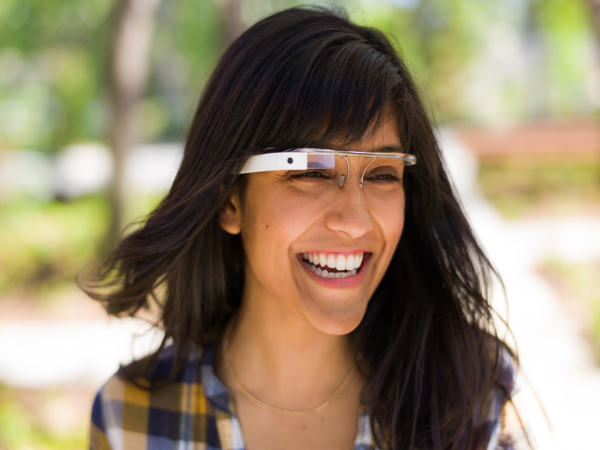
Google Glass
Glass can record video, take pictures, play music, respond to voice commands, and will enable you to do things like update your social network statuses, reply to e-mails and video-call your friends all with a single, hands-free device.
Glass doesn’t use speakers, however. Sound is pumped into your head using bone induction. The device vibrates and those vibrations pass directly into your brain through your ear bones and straight into something called the Cochlear, where tiny hairs pick up vibrations from sound waves and send them through nerve connections to your brain. Your brain then interprets them as various things you may be familiar with, like music, someone’s voice, or the addictive whine of a super charger.
In terms of hardware, Glass’ frames are made of titanium, so they’re very robust. The camera is a 5MP unit and can record 720p video. The overlay itself is 640 x 360 pixels, but it looks to the user like a 25-inch 1080p display from about 1.5m away. Glass has 12GB of user-accessible storage space and can connect to other devices and networks using Bluetooth and Wi-Fi.
It has no built-in GPS, so its expected to have A-GPS capabilities, where your connected Android phone provides the GPS tracking and location-aware services. Glass also has a touch-sensitive pad on the outer shell, which you can use to control specific functions of the device that can’t be voice-operated. It comes in five colours with matching frames – Black, orange, grey, white and blue.
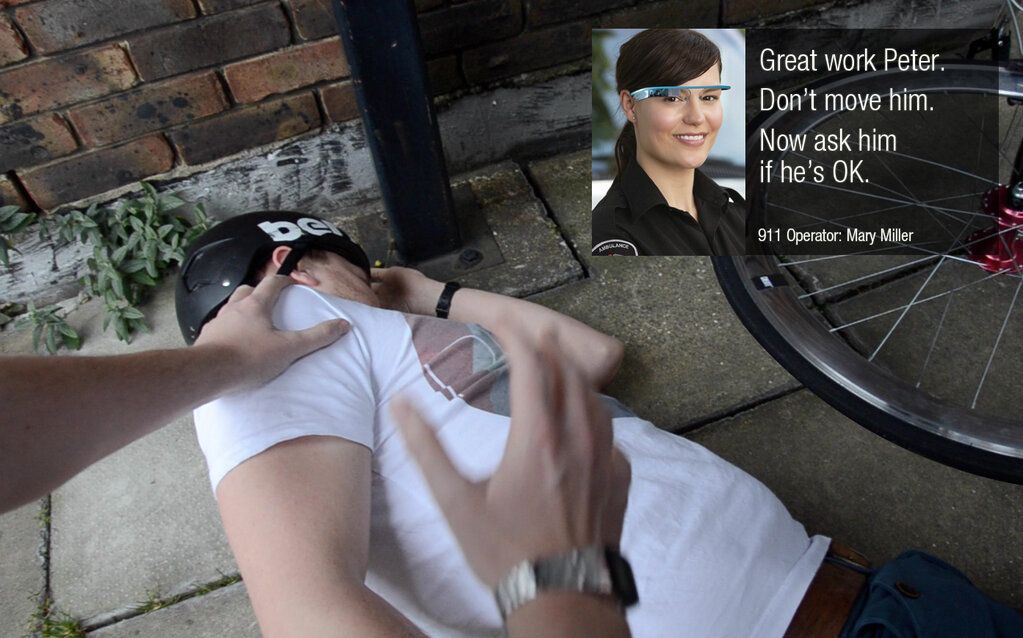
Google Glass used in an emergency.
Glass has many functions and possible uses. For one, Google has already identified one incredibly useful scenario – saving someone’s life. You could be on call to an operator that can see your video and will be able to help you better. Glass could also see some use in the emergency services themselves, helping paramedics beam information to doctors and hospitals to prepare them for patients that may be in a critical condition.
One downside noted by Engadget is that the battery life on the Explorer Edition of Google Glass is pretty dismal – hopefully this will be improved in future versions of the device.
Glass looks like a wonderful piece of technology and its one step forward to having a wealth of information not only at your fingertips, but at your voice’s command as well.
Engadget has gone into fine detail reviewing the device, so head on over to their site if you want to know more: Engadget Google Glass Explorer Edition review






 Loading ...
